
Why Scanned Certificates Degrade Over Time
Digitizing old training certificates, seminar diplomas, and professional awards from paper cardstock often reveals scanner imperfections. In accordance with the Library of Congress Digital Format Preservation Guidelines, physical paper naturally degrades over years of storage or during flatbed scanner passes: glass platen dust flecks, dark photocopy fold shadows, aged paper discoloration, and skewed margins across an important record.
However, opening a digitized certificate PDF in standard PDF viewers reveals an unyielding barrier: every letter, number, and signature is permanently frozen. Attempting to clean up stray scanner dust, adjust contrast, or add archival reference stamps drags an awkward selection box over the entire page image. Standard document viewers treat the entire certificate as an uneditable, flat raster photograph.
Preserving or framing digitized certificates presents unique challenges compared to standard business documents:
- Raster Image Encapsulation: Scanners and mobile cameras capture certificates as a single flat pixel grid, without live digital character codes or selectable fonts.
- Intricate Guilloché Security Borders: Geometric vector lace patterns and scrollwork border edges can be accidentally clipped by imprecise whiteout tools.
- Classical Typography & Layout: Formal awards frequently feature distinctive serif fonts and ornate lettering that require careful alignment when placing archival reference notes.
- Aged Parchment Tones: Historic paper often features warm ivory or cream tones (e.g.
#FFFDF5) rather than stark digital white, requiring color matching for clean retouching. - Embossed Seals & Signatures: Gold foil stamps, corporate crests, and ink signatures must be protected from accidental erasure during visual cleanup.
- Personal Privacy: Credentials contain full names, conferral dates, and serial IDs that should remain private without exposure to cloud servers.
Using W3C WebAssembly, EditScannedPDF.com lets you remove dust speckles, balance paper tones, clean crease shadows, and preserve intricate border work directly in browser RAM without uploading your documents to external servers.
Step-by-Step Guide to Cleaning & Restoring Scanned Certificates
Restoring and cleaning paper artifacts on a digitized certificate requires no complex photo-editing software, no administrative privileges, and no cloud uploads. Follow these four simple steps to perform complete, archival-grade cleanup in your browser:
Ingest Certificate Scan in Browser
Navigate to EditScannedPDF.com in Chrome, Edge, Safari, or Firefox. Drag and drop your certificate PDF, high-resolution JPG, or PNG directly into the editor workspace.
Sample Paper Tone with Eyedropper
Use the Eyedropper tool to sample adjacent parchment paper color. Match authentic warm cream or ivory hues to prepare seamless color-blended cleaning patches.
Clean Creases, Dust & Scanner Marks
Apply precision micro-whiteout exclusively over fold shadows, dust spots, and scanner noise, ensuring text runs and ornamental Guilloché borders remain untouched.
Preserve Seals & Export 300 DPI PDF
Verify that authentic embossed foil seals and signatures remain intact. Click Export to download a permanently flattened 300 DPI ISO 32000-1 compliant PDF ready for framing or digital archiving.
Technical Architecture: Parchment Inpainting & Platform Workflows
Professional certificate restoration demands non-destructive layer isolation. Our client-side engine models the document across clear functional layers:
- Archival Base & Borders: The foundational 300 DPI capture preserving authentic paper texture, crests, and geometric Guilloché borders.
- Localized Micro-Masking: Targeted correction patches matching sampled paper grain to cover scanner dust and crease marks without touching border art.
- Typographic & Stamp Overlay: Independent vector layers for archival reference codes, cataloging notes, or official approval stamps.
- Seal & Signature Preservation: Top-layer rendering that keeps foil emblems and ink signatures completely untouched.
- Zoom & Sample: Zoom to 200–300% to inspect defects. Use the Eyedropper to sample paper tone within 2 pixels of scanner dust or crease shadows.
- Micro-Clean Defect: Drag a small color-matched rectangle over the flaw to blend cleanly without touching Guilloché border lines.
- Archival Notes: If adding cataloging numbers or accession notes, select matching Serif fonts and align using keyboard arrow keys.
- Export 300 DPI PDF: Click Export to generate a flattened, print-ready ISO 32000-1 PDF directly to local storage.
- Stylus & Touch Inking: Use an Apple Pencil or tablet stylus for ergonomic, fine-point control over damaged paper spots.
- Two-Finger Canvas Pan: Pan and pinch across large certificate sizes fluidly without altering tool coordinates.
- Digital Signature: Apply authorized instructor signatures to training completion certificates using the signature tool with smooth stroke rendering.
- Direct File Export: Download the restored document directly to your device storage or cloud drive.
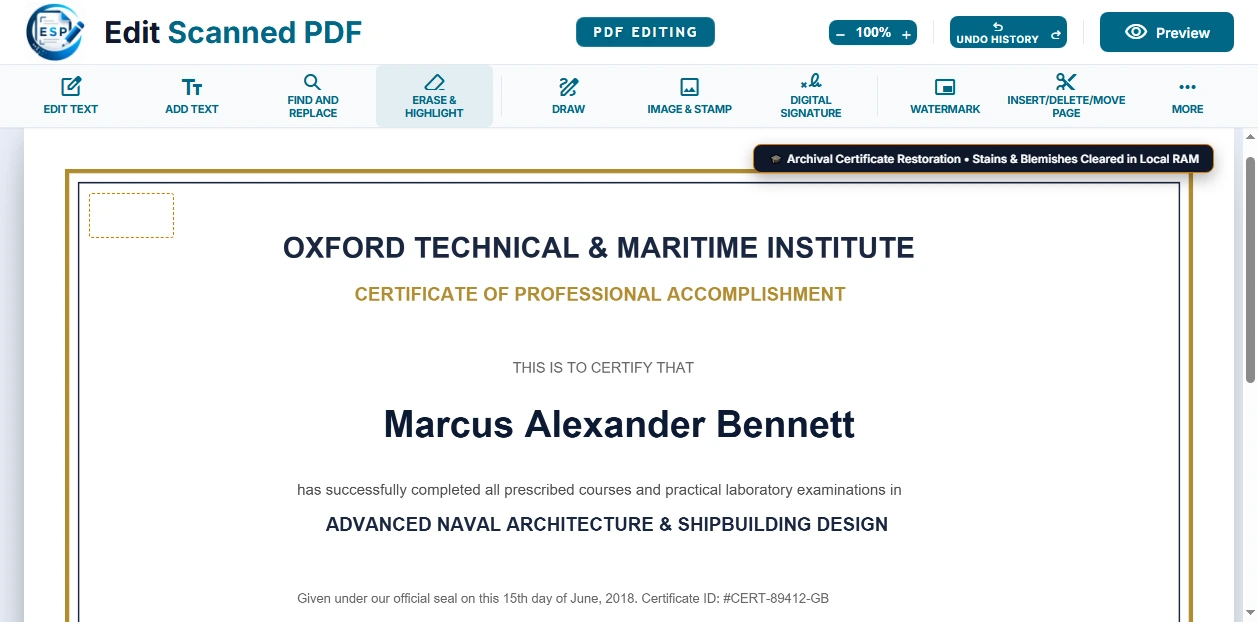
Institutional Use Cases & Zero-Upload Privacy Guarantee
Organizations, corporate academies, and archival preservationists face diverse operational scenarios requiring legitimate certificate retouching. Our private client-side architecture resolves crucial administrative delays:
Corporate Training & HR Development
Corporate learning academies and HR departments archive hundreds of completion certificates following quarterly compliance, cybersecurity, and management workshops. When digitized scans show scanner glass dirt, crease marks, or paper discoloration, administrators can clean scans for clean digital records management without re-scanning physical documents.
Professional Symposiums & Workshops
Industry conferences, continuing education seminars, and trade associations frequently archive attendance certificates and workshop credentials. Digital preservationists can remove scanner streaks, straighten crooked scans, and apply official cataloging or archival reference numbers cleanly with zero cloud latency.
Heritage Family Archives & Keepsake Restoration
Families preserving antique trade certifications, vintage military service citations, or century-old guild memberships frequently possess scans marred by folds, water spots, and yellowed scotch tape. Retouching digital scans enables families to print beautiful, clean museum-grade replicas for framing while preserving fragile originals in storage.
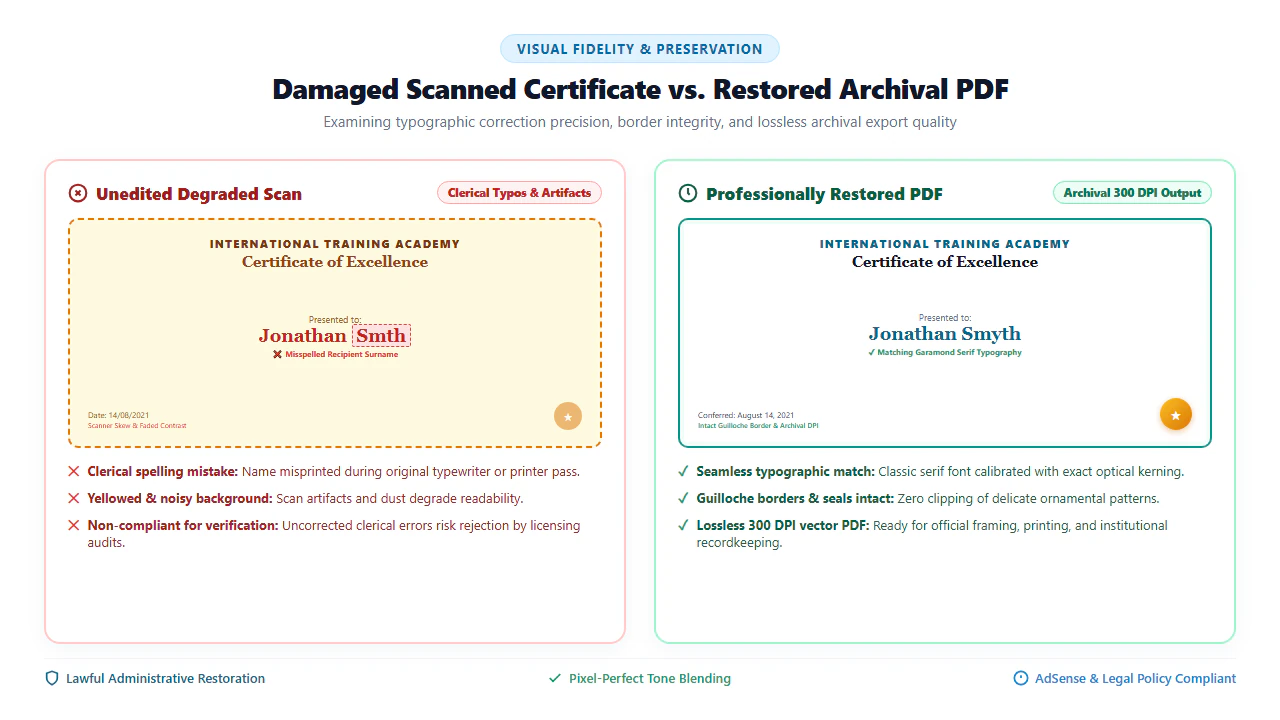
Certificate Restoration & Archival Methods: Technical Comparison
Choosing the appropriate restoration methodology for archival documents requires evaluating border preservation, typography fidelity, software licensing costs, and data privacy:
| Comparison Dimension | EditScannedPDF In-Browser | Cloud Upload Converters | Commercial Desktop Suites | Official Re-Issuance Request |
|---|---|---|---|---|
| Credential Privacy & Data Custody | 100% On-Device RAM: Zero cloud upload; personal data never leaves your hardware. | High Privacy Risk: Files uploaded to remote multi-tenant servers, risking credential theft. | Local Workstation: Files stay on computer, but background telemetry tracks usage. | Low Technical Risk: Official records, but involves email or postal mail communication. |
| Guilloché Border & Seal Protection | Precision Micro-Masking: Feathered brushes protect overlapping vector borders. | Coarse Whiteout: Crude rectangular blocks often wipe out adjacent border artwork. | Advanced Layer Masks: Powerful, but requires professional graphic design training. | Original Press Reprint: Generates fresh prints directly from original press plates. |
| Software Installation & Footprint | Zero Installation: Runs instantly inside any modern desktop or tablet browser. | Zero Installation: Browser-based, but requires steady high-speed uploads. | Heavy Footprint: Consumes 2GB+ disk space, background daemons, and licensing managers. | None: Handled entirely through administrative channels. |
| Cost & Subscription Model | 100% Free Forever: No subscriptions, paywalls, watermarks, or page limits. | Freemium Paywalls: Restricts high-resolution downloads or forces recurring plans. | Expensive Subscriptions: Demands $240+ per user per year in perpetual licensing fees. | Administrative Fees: Re-issuance fees typically range from $25 to $100 per reprint. |
| Paper Tone Matching & Color Eyedropper | Built-in Eyedropper: Easily samples aged parchment tones to erase scanner dust specks cleanly. | Generic White Patches: Typically defaults to stark white (#FFFFFF) backgrounds. | Full Typographic Control: Full control, but requires manual color curve matching. | Not Applicable: Re-issuance produces an entirely new physical cardstock. |
| Turnaround Time & Speed | Instant (Under 2 Minutes): Immediate in-browser execution with real-time preview. | Slow (5 to 15 Minutes): Bottlenecked by cloud queue delays and network speeds. | Moderate: Launching software, opening heavy files, and configuring export profiles. | Days to Months: Awaiting institutional registry processing and postal mail delivery. |
Recommended Companion Tools for Credential Restoration
Enhance your document preparation and archival workflows with our comprehensive suite of private, client-side browser tools:
| Restoration Objective | Recommended In-Browser Tool | Primary Technical Capability | Certificate & Award Use Case |
|---|---|---|---|
| Precision Micro-Erasing & Paper Cleaning | Whiteout & Paper Cleaner | Pixel-level micro-masking with custom color sampling to erase scanner dust and crease shadows. | Cleaning dark scanner dust specks, adhesive stains, or crease marks without border damage. |
| Overlay Foil Seals & Corporate Crests | Image & Stamp Tool | Inserts transparent 300 DPI PNG logos, gold foil seals, and verification marks. | Adding official organizational stamps or corporate crests to digital awards. |
| Apply Workshop Instructor Signatures | Digital Signature Tool | Smooth mouse, trackpad, or touchscreen inking with anti-aliased stroke rendering. | Adding authorized instructor signatures to in-house workshop certificates. |
| Convert Certificate Text to Word | Scanned PDF to Word | Transforms non-selectable scanned certificate text into fully editable Word documents. | Extracting historical citation text and conference agendas for archival cataloging. |
| Compress High-Resolution 600 DPI Scans | Compress PDF Free | Applies smart Flate compression to shrink 40MB archival scans down below 2MB. | Optimizing large certificate scans for email sharing and online portfolio uploads. |
| Correct Landscape & Inverted Scans | Rotate PDF Tool | Instantly rotates sideways or upside-down certificate pages by 90, 180, or 270 degrees. | Aligning wide-format landscape award certificates before applying archival cleanup. |
Deep Architecture, Pro Engineering Tips & Statutory Compliance
When handling formal credentials and heritage documents, technical precision and legal compliance must be rigorously maintained. Under ISO 32000-1 specifications, a PDF is an object hierarchy separating raster backgrounds, vector paths, and font dictionaries. EditScannedPDF preserves the native 300 DPI background photograph while overlaying an exact typographic layer mapped with sub-pixel coordinates. When you export, the engine performs permanent raster flattening, baking cleanup masks and archival annotations into the base image stream so that third-party viewers cannot peel back edits or reveal previous data.
To produce framing-ready archival certificate prints indistinguishable from the original cardstock, follow these two professional reproduction practices:
- Scan at 600 DPI for Fine Guilloché Detail: If you are digitizing physical cardstock, always set your scanner optical resolution to 600 DPI in 24-bit color. This preserves individual fine lines in Guilloché security borders and captures the delicate relief shadow of embossed foil seals. Load the 600 DPI file into EditScannedPDF, perform your edits, and export at 300 DPI for optimal print balance.
- Perform Test Strip Tone Matching: Print a small test strip containing your sampled parchment color patch on your target cardstock before executing full-page prints. Commercial inkjet and laser printers render paper tones slightly darker than computer monitors; adjusting your color eyedropper lightness by 2% to 3% yields flawless physical color harmony.
EditScannedPDF is designed for visual paper restoration, cleaning physical degradation (such as photocopy creases, scanner dust, and margin shadows), and preserving archival heritage records that you legally own. For official educational or institutional submissions, always request certified official replacement copies directly from the issuing authority or registrar.
- check_circle Authentic Paper Restoration: Remove scanner dust, fold lines, and dark photocopy artifacts without altering official text.
- check_circle Guilloché Border Protection: Precision zoom protects delicate security borders, filigree, and intricate scrollwork.
- check_circle Parchment Tone Matching: Eyedropper sampling blends paper grain smoothly to eliminate harsh whiteout patches.
- check_circle Framing-Ready 300 DPI Output: Produces uncompressed, crystal-clear PDFs suitable for heavy cardstock printing and framing.
Ready to Restore Your Scanned Certificate or Award?
Perform instant in-browser micro-cleaning, match antique paper tones, preserve security borders, and export framing-ready 300 DPI PDFs with 100% local privacy.
workspace_premium Restore Scanned Certificate Free OnlineFrequently Asked Questions About Restoring Scanned Certificates
What types of certificate repairs can I do with this tool?
This tool is designed for restoring digital visual quality on paper awards and certificates you own—such as removing scanner dust, erasing dark photocopier creases, cleaning coffee or water spots, and color-balancing aged parchment paper backgrounds. It preserves authentic document integrity and original layout for framing or digital archiving.
How do I add archival annotation text or cataloging notes to a certificate scan?
If you need to add archival notes, cataloging numbers, or date stamps for historical preservation, select the Text tool, choose a matching Serif or Sans-Serif typeface family, adjust font size, and place clean notes in the margin or archival reference area without altering original document elements.
Will cleaning dust spots damage ornate Guilloche borders or parchment textures?
No. By zooming into 200% or 300% magnification on our document canvas, you can use the precision eraser tool to target only scanner dust specks or background stains. Surrounding geometric Guilloche borders, ornamental filigree, and authentic background textures remain completely untouched and protected.
How do I match aged parchment paper instead of stark white?
Archival paper scans rarely exhibit pure stark white (#ffffff) backgrounds; they typically feature warm ivory, cream, or parchment hues (#fffdf5 or #fcf8ec) caused by natural wood pulp aging. Our built-in Color Eyedropper tool lets you sample the exact paper tone immediately adjacent to the correction area for seamless edge blending without telltale bright white patches.
What DPI resolution should I export for printing and framing?
Always export at native 300 DPI resolution. This guarantees that fine serif brackets, delicate script flourishes, gold foil seal textures, and intricate security borders remain razor-sharp when reproduced on heavy certificate cardstock, linen paper, or physical parchment for framing.
How do I preserve embossed foil seals and signatures when cleaning a scan?
By zooming into 200% or 300% magnification on our document canvas, you can isolate the background paper areas and avoid touching embossed seals, organizational stamps, or signatures. Our non-destructive eraser tools operate on selective pixel coordinates so authentic verification marks remain completely intact.
Are my personal credentials and certificate files kept private from cloud servers?
Yes, 100% private. Unlike cloud-based file conversion websites that upload documents to remote multi-tenant servers, EditScannedPDF executes all OCR recognition, canvas rendering, and PDF compilation locally inside your web browser's WebAssembly sandbox. Your certificates, personal names, and registration serial numbers never leave your device.