
How to Rotate Scanned PDF Pages Permanently Online Free (Single or All Pages)
The Scanned Document Orientation Dilemma
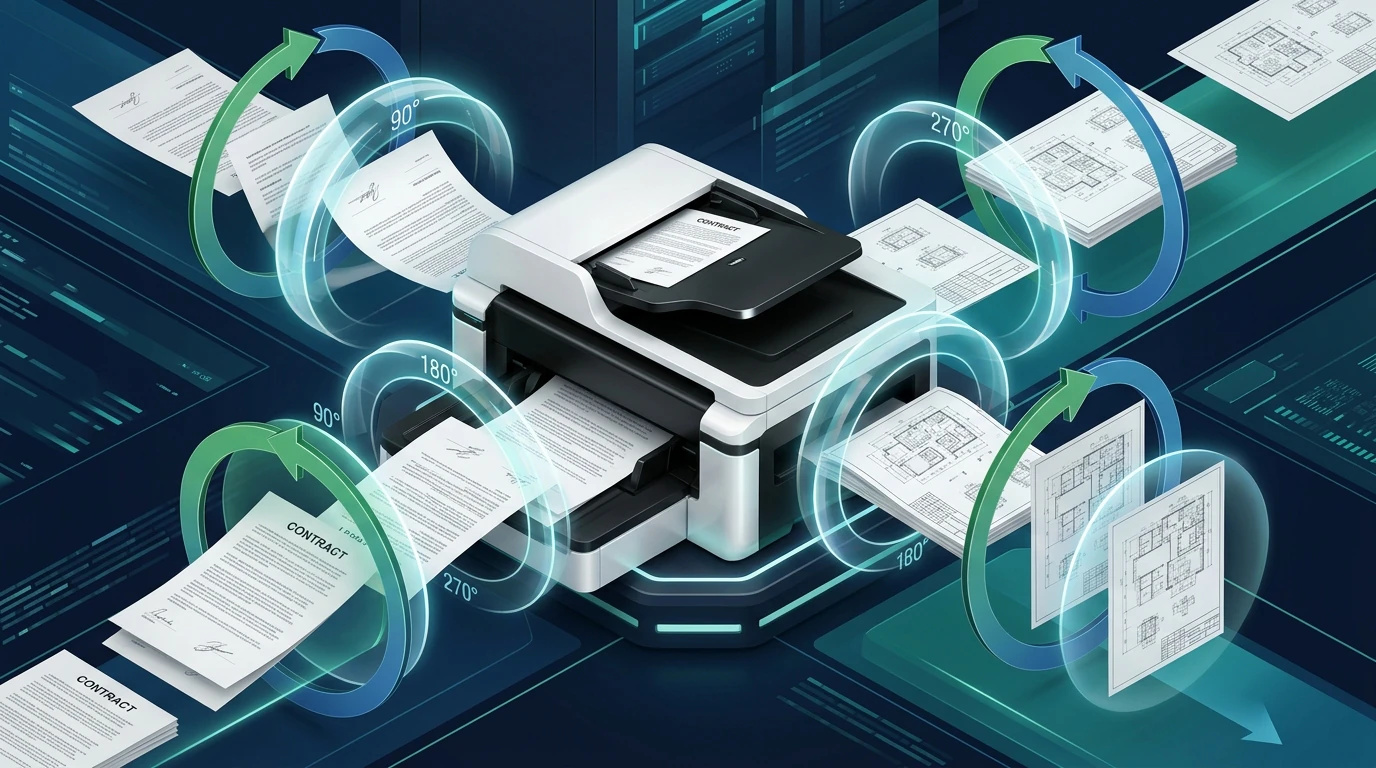
Anyone who regularly handles high-volume document ingestion has experienced the frustration of misoriented scans. When scanning multi-page paperwork using an Automatic Document Feeder (ADF), double-sided pages often feed upside-down (180° inverted). In other cases, legal contracts contain mixed orientations where the main text is portrait, but attached financial spreadsheets, floor plans, or tax balance sheets are formatted as landscape (90° or 270° sideways). With our scanned document editor, everything runs locally in your browser with zero file uploads.
When these files are opened in standard PDF viewing applications (such as Apple Preview, Google Chrome, or commercial desktop software), users typically click the "Rotate Clockwise" button to read the page comfortably. However, upon saving or emailing the file, they discover a deeply irritating issue: the document remains upside-down when opened by the recipient or submitted to online portals. For deeper troubleshooting, see our guide on clean up scanned PDF documents.
Understanding why this happens—and how to permanently fix orientation without paying for high-priced commercial software subscriptions—is essential for administrative professionals, paralegals, mortgage brokers, and students alike.
How to Rotate PDF Pages Permanently (Step-by-Step Guide)
Follow this simple, 4-step workflow to rotate and permanently save your PDF pages in seconds:
Select Document
Open the free Rotate PDF Tool and drag your scanned document into the canvas. Files open instantly in local memory.
Inspect Thumbnails
Review high-definition visual page cards showing each page with its current orientation, page number, and quick-rotation controls.
Apply Rotations
Click the 90° clockwise or counter-clockwise buttons on individual misaligned pages, or use "Rotate All" to orient the entire file.
Download Upright PDF
Click "Save Changes". The browser updates the PDF's internal catalog flags in milliseconds and downloads your permanently upright PDF file.
Why Desktop PDF Readers Fail to Save Rotations
To understand why temporary viewer rotation fails, we must look into the ISO 32000 PDF file format specification. A PDF document is structured as an object hierarchy:
- Document Catalog: The top-level dictionary defining document-wide properties.
- Page Tree Structure: A hierarchical node structure specifying all individual pages in the file.
- Page Object (
/Page): Contains media dimensions (Page Dimensions), content stream pointers (/Contents), and an optional orientation attribute (Rotation Angle).
When you view a document in standard desktop readers and click "Rotate View", the reader only applies a temporary CSS canvas or DirectWrite rendering matrix transformation in RAM. It does not rewrite the PDF object's cross-reference table or save the orientation setting permanently. Unless you own an expensive commercial editor that performs an incremental document rebuild, closing the viewer discards your adjustment.
Conversely, EditScannedPDF.com uses a client-side WebAssembly parser that writes the exact orientation angle (90° clockwise, 180° upside-down, or 270° counter-clockwise) permanently into the PDF structure. Because this value conforms to universal ISO 32000 standards, any PDF reader, government filing portal, or print driver in the world will display the page upright by default.
- Drag-and-Drop Batch Ingestion: Open our Rotate PDF Tool in Chrome, Firefox, Safari, or Edge on Windows or macOS. Drop multi-page scanned batches into the browser canvas to parse orientation flags instantly in local memory.
- Selective Page Inspection: Hover over thumbnail cards to identify upside-down (180° inverted) duplex pages or sideways landscape spreadsheets (90°/270°). Use individual rotate buttons to fix target pages without affecting the rest of the file.
- Global Batch Alignment: For bulk scanner batches where an entire stack was loaded upside-down, use the global "Rotate All Clockwise" button to normalize hundreds of pages simultaneously.
- Permanent Metadata Rebuilding: Click "Save Changes". The engine writes ISO 32000-compliant
/Rotateinteger tags into the document page tree and downloads the upright PDF directly to your PC or Mac.
- Open Mobile Browser: Launch Safari on iOS or Chrome on Android and navigate to the free tool. Tap "Select Document" to pick your scan directly from iPhone Files, iCloud Drive, or Android Downloads.
- Touch-Friendly Orientation Tuning: Use standard pinch-to-zoom gestures to verify text legibility and signature orientation. Tap rotation arrows on individual mobile thumbnails using your fingertips.
- Instant Mobile RAM Execution: Tap "Save Changes". The WebAssembly engine updates internal orientation metadata 100% inside your phone's browser memory with zero cellular data upload.
- Save to Smartphone: Download the permanently upright document straight to your mobile Files or Downloads folder, ready for immediate email or cloud portal submission.
Top Real-World Scenarios Where Page Rotation Is Critical
1. Duplex ADF Feeder Flips in Legal Discovery
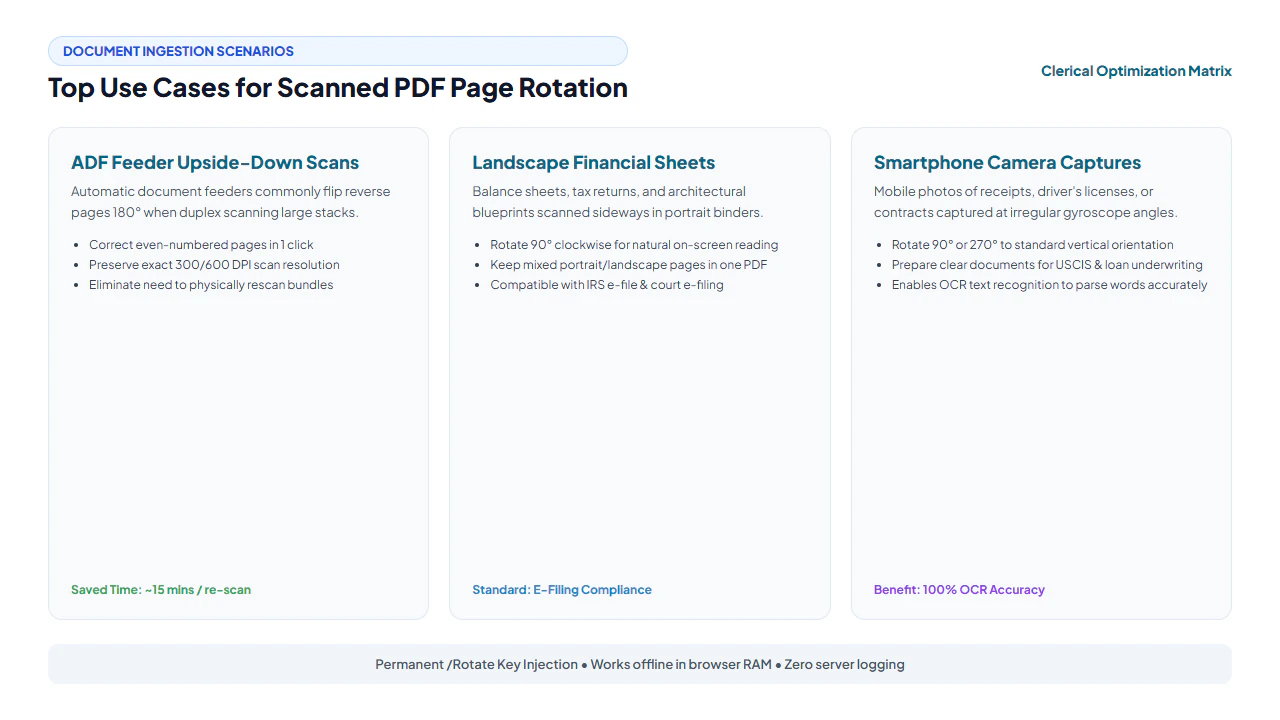
In legal and corporate environments, document production often involves scanning hundreds of double-sided exhibits through high-speed sheet-fed scanners. Depending on whether the feeder reads head-to-head or head-to-toe, every second page (even-numbered pages 2, 4, 6...) often ends up upside-down. Submitting uncorrected inverted exhibits to federal or state court electronic filing systems (such as PACER) risks immediate rejection by court clerks. With our tool, paralegals can isolate and rotate all even pages in a single operation.
2. Financial Statements & Architectural Blueprints
Corporate loan packages and tax portfolios frequently interleave vertical correspondence letters with horizontal spreadsheets (such as Form 1040 Schedule C, profit and loss statements, or floor plans). When digitizing, the scanner often forces all sheets into an upright portrait frame, rendering the spreadsheets sideways. Rotating only the spreadsheet pages 90° clockwise ensures that underwriters and auditors can review figures seamlessly without twisting their monitors.
3. Smartphone Camera Scans for USCIS and Loan Applications
Mobile scanning apps (or phone photos converted to PDF) rely on the device's internal gyroscope to determine orientation. If a receipt, passport, or birth certificate is photographed while lying flat on a table, the gyroscope often misreads the angle, embedding the image rotated 90° or 270°. Reorienting these documents is vital because government portals like USCIS strictly mandate upright, legibly aligned evidence.
verified Zero Re-Compression Quality Guarantee
Many cloud converter websites handle rotation by converting PDF pages into raster JPEG images, rotating the image canvas, and re-wrapping it into a new PDF. This destructive method degrades text sharpness, introduces JPEG compression artifacts, and inflates file size. EditScannedPDF.com never touches the raw image bytes. Our engine solely updates the internal PDF page rotation dictionary. Your original 300 DPI or 600 DPI scan retains 100% of its native clarity.
Desktop Software vs. Cloud Uploaders vs. EditScannedPDF.com
Review how our in-browser rotation engine compares to traditional alternatives:
| Feature | Commercial Desktop Suite | Generic Cloud Tools | EditScannedPDF.com |
|---|---|---|---|
| Cost | $239.88 / year subscription | Freemium / Ad-heavy | 100% Free Forever |
| Document Privacy | Local machine install | Uploaded to 3rd-party servers | 100% In-Browser RAM (Zero Upload) |
| Quality Preservation | Lossless dictionary update | Frequently re-compresses images | 100% Bit-for-Bit Lossless |
| Per-Page Selective Rotate | Yes | Often rotates all or none | Yes (Visual Thumbnail Selector) |
| Installation Required | Large ~2GB desktop footprint | None (Web browser) | Zero Install (Any Browser / Mobile) |
Complementary Scanned Document Tools
After setting the proper page orientation, streamline your document workflows with these free companion utilities:
| Tool | Primary Function | Recommended Next Step |
|---|---|---|
| Rotate PDF | Fix sideways & upside-down pages | Permanently orient document pages upright |
| Split PDF | Divide bulk scans into individual files | Extract oriented sections into separate exhibits |
| Merge PDF | Combine multiple rotated documents | Assemble oriented files into a complete closing binder |
| Compress PDF | Reduce scanned file size | Shrink large 300 DPI scans for email attachment |
| Edit Scanned PDF | Direct text & image redaction | Add dates, corrections, or signatures to upright scans |
Vector Canvas Transformations: The /Rotate Key in ISO 32000
The International Organization for Standardization (ISO 32000-1) specifies exactly how PDF viewing engines must interpret page geometry. Unlike raster image formats (such as JPEG, PNG, or TIFF) where rotating a picture requires physically rewriting pixel coordinate arrays, a PDF document represents rotation as a geometric metadata transformation matrix:
Inside the PDF file dictionary, each /Page object contains explicit coordinate boundary boxes and an optional orientation attribute:
- MediaBox: Defines the physical boundaries of the medium onto which the page is displayed or printed (e.g.,
[0 0 612 792]for standard US Letter). - CropBox: Defines the visible region of the page displayed by viewing software.
- The /Rotate Entry: An integer value specifying the number of degrees by which the page should be rotated clockwise when displayed or printed. Valid values under ISO 32000 must be multiples of 90:
0,90,180, or270. - Display Coordinate Normalization: When rotated via WebAssembly, our engine recalculates the page's Page Dimensions and Crop Boundaries coordinate bounds, ensuring that landscape architectural blueprints, legal real estate surveys, and portrait invoices render flawlessly across desktop PDF viewers, mobile devices, and automated court intake portals.
Batch Scanning Faults & Troubleshooting Upside-Down Documents
In fast-paced corporate administrative centers, legal copy rooms, and accounting departments, batch scanning hundreds of pages through multi-sheet Automatic Document Feeders (ADF) frequently introduces orientation flaws:
1. The "Duplex Inversion" Glitch
When feeding double-sided contracts through high-speed office scanners, hardware roller configurations often scan the front side correctly but invert the reverse side by 180 degrees. Reviewing a 50-page lease where every even-numbered page is upside down is jarring and unprofessional. Our tool features visual thumbnail controls that allow you to select and rotate only even pages with one click, restoring consistent top-to-bottom reading order.
2. Mixed Portrait and Landscape Foldouts
Engineering bids, corporate annual reports, and financial audits frequently embed wide multi-column spreadsheet tables or architectural floorplans alongside standard portrait text. If an ADF scanner forces all pages into portrait mode, wide ledger sheets are rotated 90 degrees sideways, forcing readers to tilt their heads. Using our browser tool, you can selectively rotate only the landscape spreadsheet foldouts, leaving the surrounding portrait narrative pages untouched.
3. Judicial & Government Submission Compliance
Electronic filing portals—including state and federal judicial CM/ECF platforms, the USPTO patent intake system, and the USCIS immigration portal—strictly require that all submitted documents be right-side up and immediately legible. Submitting sideways or upside-down evidence can result in immediate administrative rejection, loss of priority dates, or filing penalty fees. Verifying and normalizing page orientation before submission ensures smooth automated intake and judicial approval.
gavel Administrative & Filing Compliance Notice
Standardizing PDF page orientation to upright portrait or landscape is an authorized clerical procedure recognized under federal court rules (e.g., Federal Rule of Civil Procedure 5.2 / PACER Administrative Procedures) and administrative agency guidelines (including IRS e-file and USCIS electronic filing specifications). Reorienting inverted pages does not alter document content or legal validity. However, users are strictly reminded that all document modifications must be performed on records you own or are authorized to manage; altering records for fraudulent misrepresentation is strictly prohibited by law.
verified Pro Orientation Standard: Internal /Rotate Dictionary Flag
Standard desktop image viewers often rotate scanned pages purely visually without updating the underlying PDF page tree structure. Our browser tool modifies the internal ISO 32000-1 Rotation Angle integer dictionary value (0, 90, 180, or 270 degrees) and recomputes the bounding MediaBox coordinates, guaranteeing that mobile email clients, government e-filers, and printer drivers render the correct orientation permanently.
- check_circle 100% Client-Side WebAssembly: Runs entirely in your local browser RAM without uploading sensitive files to cloud servers.
- check_circle Strict Data Privacy: Fully compliant with HIPAA, GDPR, and enterprise confidentiality rules with zero server data retention.
- check_circle Lossless Fidelity: Preserves original 300 DPI text sharpness, authentic line baselines, and exact page layout structures.
- check_circle Universal Cross-Platform: Works seamlessly across Windows, Mac, Linux, iPhone, iPad, and Android with zero installation.
bolt Quick Summary (AI Overview)
Rotating a scanned PDF permanently requires updating the underlying page dictionary Rotation Angle attribute (0°, 90°, 180°, or 270°) rather than merely clicking "View Rotate" in a temporary desktop viewer. EditScannedPDF.com provides a 100% private, client-side WebAssembly utility to rotate individual pages or entire multi-page bundles in seconds without costly commercial desktop software. No files are uploaded to cloud servers, and raw 300 DPI scan bitmaps are preserved with zero recompression loss.
Fix Upside Down & Sideways Scanned Pages Instantly
Rotate individual pages or entire multi-page scans by 90, 180, or 270 degrees with lossless export in browser RAM.
rotate_right Rotate Scanned PDF FreeFrequently Asked Questions
Why does my PDF rotate back to upside-down when I open it in another app?
Most desktop PDF readers (such as standard document viewers or web browsers) have a "View > Rotate" button that only changes the on-screen display temporarily in that specific session. It does not update the underlying PDF page catalog. To save the rotation permanently, you must modify the internal Rotation Angle dictionary key, which EditScannedPDF.com performs losslessly in browser memory.
Will rotating a scanned PDF degrade image sharpness or text quality?
No. When using EditScannedPDF.com, rotation is executed purely as a geometric metadata transformation. The raw scanned bitmap (300 DPI or 600 DPI) is never re-compressed or re-encoded, ensuring 100% bit-for-bit image preservation.
Can I rotate only page 2 and page 5 without rotating the entire document?
Yes. Our visual page thumbnail manager allows you to select and rotate individual pages independently, which is ideal for multi-page documents where only duplex scanner pages or landscape spreadsheets are misaligned.
Are my sensitive scanned documents uploaded to a cloud server?
No. All PDF processing takes place entirely inside your web browser's local WebAssembly execution environment. Your files never leave your computer or touch our servers, satisfying strict confidentiality standards for legal, medical, and banking files.
What degree angles are supported for PDF page rotation?
Our engine supports 90 degrees clockwise, 180 degrees (upside down), and 270 degrees counter-clockwise rotation, matching universal ISO 32000 PDF standards.
Does rotating a scanned PDF affect existing OCR text layers?
No. Because rotation updates the viewport transformation matrix in the PDF catalog, existing searchable OCR text layers and bounding boxes rotate synchronously with the underlying page imagery.
Is rotating upside-down scanned documents legal for court and tax submissions?
Yes. Standardizing document orientation to upright portrait or landscape is an authorized clerical procedure recognized under federal court rules (FRCP 5.2 / PACER) and administrative agency guidelines (including IRS and USCIS e-file standards). Reorienting inverted pages does not alter document content or legal validity.