
Word to PDF Online Free
Convert Microsoft Word documents (DOCX, DOC, and TXT) into universal, read-only PDF files in your web browser. Free, unlimited, and 100% private with zero server uploads.
Only edit documents that you own or are legally authorized to modify. Do not use this website to alter documents for fraud, misrepresentation, identity misuse, or any illegal purpose. You are fully responsible for how you use edited documents; Edit Scanned PDF is not responsible for unlawful or unauthorized use. Read More
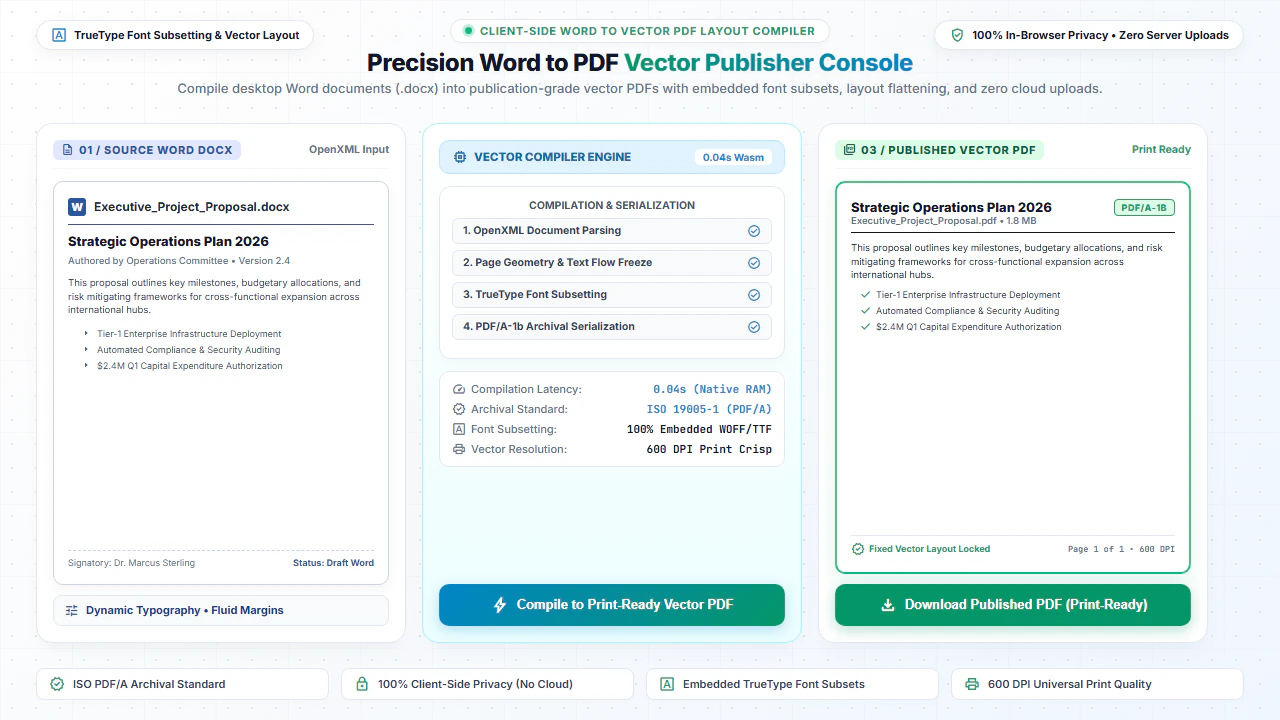
You can convert Microsoft Word documents (.docx) into standardized, universally readable PDF files online for free using EditScannedPDF.com Word to PDF Converter. Preserves fonts, layouts, and image placements while generating publication-ready PDFs in your browser with 100% data confidentiality.
How Word to PDF Document Compilation Works
Microsoft Word documents are formatted as XML-based archives containing typography tags, style tables, and paragraph definitions. When converting DOCX or text files to PDF, our in-browser engine parses the document model and calculates accurate page geometries, line breaks, and font mappings.
The output is a standardized, self-contained PDF document that renders identically on all computers, tablets, and smartphones regardless of installed office software.
Why Standardize Word Documents into PDF?
Preserve Layout & Typography
Prevent fonts, margins, and page layouts from shifting when opened on different devices or operating systems.
Prevent Accidental Edits
Freeze document formatting before distributing contracts, price quotes, proposals, and invoices.
Universal Mobile Compatibility
Ensure clients and partners can open and read your document on smartphones without needing Word apps.
Ready for E-Signatures
Prepare agreements and hiring letters to be signed electronically using our Digital Signature tool.
Step-by-Step: How to Convert Word to PDF in 4 Steps
- Step 1: Choose Your Document: Click Choose Word File or drag your .docx file into the tool interface.
- Step 2: Review Structure: The client-side parser reads headings, font styles, tables, and embedded images.
- Step 3: Compile Vector PDF: Click Convert Word to PDF to render pages directly in your browser.
- Step 4: Download PDF: Save your finalized, professional PDF document ready for printing or legal sharing.
- Step 1: Tap to Select: Tap Choose Word File and pick your document from Files, iCloud, or Google Drive.
- Step 2: On-Device Processing: The mobile browser renders text and layout into clean PDF pages.
- Step 3: Instant Conversion: Tap Convert Word to PDF for immediate local compilation.
- Step 4: Save & Share: Save the resulting PDF file to your phone or attach directly to an email.
100% Client-Side Privacy: Keep Documents Confidential
Word documents frequently contain sensitive employee contracts, business strategies, trade secrets, and financial tables. Traditional online converters transmit these confidential files to cloud servers, risking unauthorized exposure.
EditScannedPDF.com processes your Word documents 100% locally in your web browser. Your documents are never uploaded to any remote server, guaranteeing absolute confidentiality.
Comparison: EditScannedPDF vs. Traditional Cloud Tools
Understanding how our in-browser WebAssembly architecture protects your sensitive documents compared to legacy cloud PDF converters:
Enterprise-Grade In-Browser Security Architecture
When working with sensitive contracts, financial spreadsheets, medical records, or identity credentials, uploading files to third-party web servers introduces major cybersecurity risks. EditScannedPDF solves this fundamental vulnerability by executing all PDF compilation, vector synthesis, and cryptographic operations directly inside your device's browser memory using WebAssembly.
Your documents never travel across the internet, are never indexed on remote hard drives, and leave zero data footprint behind once you close your browser tab. Experience complete operational privacy built from the ground up to satisfy modern corporate security protocols.
Frequently Asked Questions (FAQ)
How do I convert a Microsoft Word DOCX file to PDF?
Select your DOCX or DOC file using the upload button above and click Convert to PDF. The document will be parsed and exported into a standard PDF file in seconds.
Do I need Microsoft Office installed on my computer?
No. Our browser converter operates independently without needing Microsoft Word, Office 365, or third-party software installed.
Can I edit the converted PDF document afterwards?
Yes! Once your PDF is created, you can open it in our Free PDF Editor to add annotations, insert signatures, draw diagrams, or modify pages.
Are my Word documents kept confidential?
Yes, 100% confidential. All conversion logic runs locally in your browser memory. Your documents are never uploaded to remote servers.
Technical PDF Standards & Universal Browser Compatibility
EditScannedPDF strictly complies with the international ISO 32000 PDF standard, ensuring that any document you edit or convert renders identically across Adobe Acrobat, Apple Preview, Google Chrome, Microsoft Edge, and mobile PDF viewers. Our zero-upload architecture operates entirely within modern web browsers on Windows, macOS, Linux, ChromeOS, iOS, and Android without requiring third-party extensions or system drivers.