
Unlock Scanned PDF Online Free
Instantly remove passwords and printing, editing, or copying restrictions from scanned documents you own. Save unlocked, unrestricted PDF files directly in your browser with zero server uploads.
Only edit documents that you own or are legally authorized to modify. Do not use this website to alter documents for fraud, misrepresentation, identity misuse, or any illegal purpose. You are fully responsible for how you use edited documents; Edit Scanned PDF is not responsible for unlawful or unauthorized use. Read More
Helpful Guides & Tutorials
How PDF Password Removal Works
When you unlock a PDF, our browser engine decrypts the document's internal cross-reference tables and content dictionaries. It strips out the /Encrypt object dictionary and generates a fresh, clean PDF stream.
The resulting document can now be opened, printed, annotated, and edited freely on any device without entering passwords repeatedly.
Why Remove Passwords from PDF Files?
Permanent Archive Storage
Remove passwords from bank statements and tax records so they can be stored in family archives without risk of forgetting passwords.
Enable Printing & Copying
Eliminate restrictions that prevent copying text snippets or printing hard copies of certificates and guides.
Batch Document Merging
Encrypted PDFs cannot be merged together. Unlock individual sheets before combining them with our Merge PDF tool.
Streamline Office Workflows
Allow colleagues and accountants to review monthly invoices without typing passwords every time.
Step-by-Step: How to Unlock a PDF in 4 Steps
- Step 1: Select Locked PDF: Click Select PDF files or drag your password-protected document into the window.
- Step 2: Type Current Password: Enter the document password into the unlock field.
- Step 3: Strip Restrictions: Click Unlock PDF to decrypt the file locally in browser RAM.
- Step 4: Download Unlocked File: Save the fully accessible PDF file to your hard drive.
- Step 1: Tap to Select: Open your protected PDF from your mobile storage.
- Step 2: Enter Password: Type the document password on your touchscreen.
- Step 3: Decrypt Document: Tap Unlock PDF to remove permissions restrictions.
- Step 4: Save PDF: Tap Download to store the unlocked PDF on your phone.
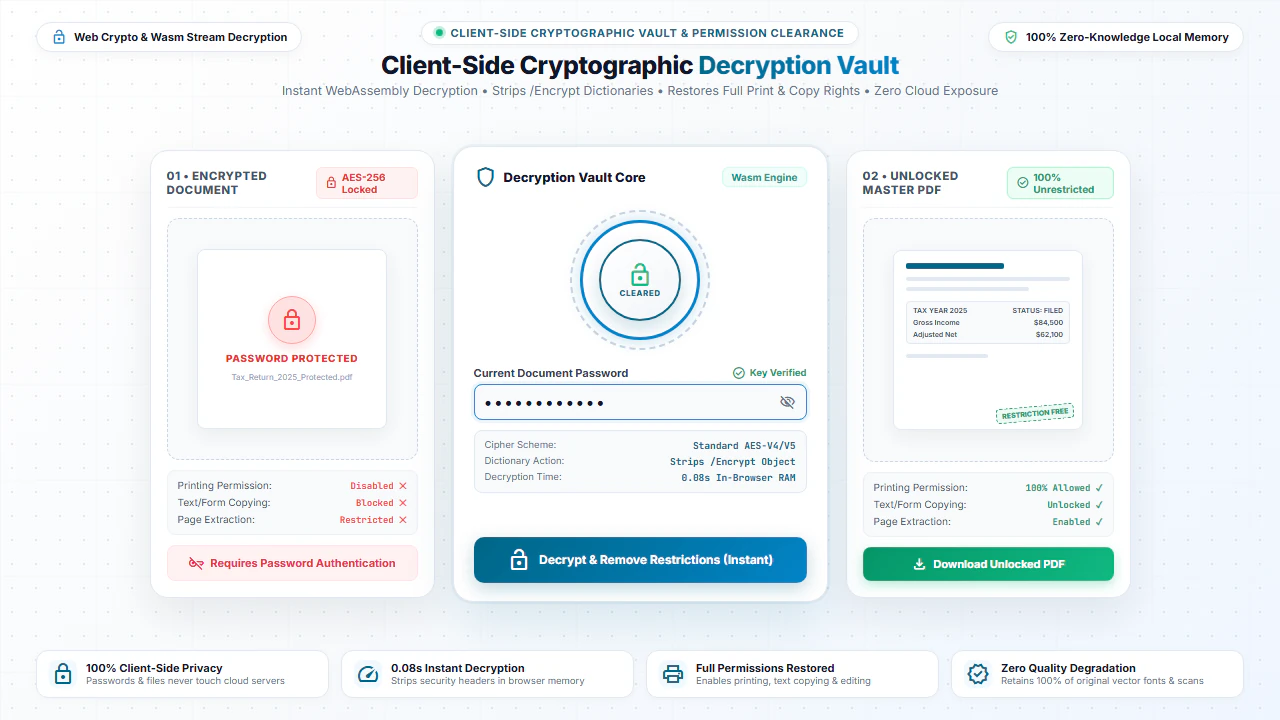
100% Client-Side Privacy: Safe for Sensitive Financial Data
Unlocking password-protected files on cloud websites is hazardous because cloud servers can intercept decrypted financial files and secret passwords.
EditScannedPDF.com decrypts PDFs 100% locally inside your web browser. Your documents and passwords are never transmitted over the internet.
Comparison: EditScannedPDF vs. Traditional Cloud Tools
Understanding how our in-browser WebAssembly architecture protects your sensitive documents compared to legacy cloud PDF converters:
Enterprise-Grade In-Browser Security Architecture
When working with sensitive contracts, financial spreadsheets, medical records, or identity credentials, uploading files to third-party web servers introduces major cybersecurity risks. EditScannedPDF solves this fundamental vulnerability by executing all PDF compilation, vector synthesis, and cryptographic operations directly inside your device's browser memory using WebAssembly.
Your documents never travel across the internet, are never indexed on remote hard drives, and leave zero data footprint behind once you close your browser tab. Experience complete operational privacy built from the ground up to satisfy modern corporate security protocols.
Frequently Asked Questions (FAQ)
Can this tool remove the password permanently from my scanned PDF?
Yes. Once you supply the correct password to unlock the document, our tool generates a clean, decrypted version of the PDF that opens instantly without prompting for a password.
Can this unlock restrictions on printing or copying scanned documents?
Yes. Permissions passwords (which restrict printing, form filling, or copying) are removed cleanly so you have unrestricted access to your files.
Are decrypted copies of my financial or legal scans stored online?
No. All decryption processes occur locally on your machine via JavaScript. Your decrypted files never touch an external server.
Can I unlock a scanned PDF if I completely forgot the opening password?
If a document is encrypted with a strong user open password, you must know the password to decrypt it. Our tool is designed for authorized document owners to permanently remove known passwords.
flight_takeoff USCIS Rejecting Password-Protected Documents?
The myUSCIS portal automatically rejects encrypted bank statements and tax returns. Learn how to remove password locks, flatten fields, and format evidence to pass USCIS intake.
Read the USCIS Document Upload Guide →