
Convert Scanned PDF to Word Online Free
Convert scanned PDF to Word online free with high-accuracy OCR. Extract text from scanned paper documents, photocopies, and image PDFs and convert them into fully editable Microsoft Word (DOCX) files — fast, accurate, and 100% private in your browser with zero uploads, or use our free scanned PDF editor to edit text directly on the PDF.
Only edit documents that you own or are legally authorized to modify. Do not use this website to alter documents for fraud, misrepresentation, identity misuse, or any illegal purpose. You are fully responsible for how you use edited documents; Edit Scanned PDF is not responsible for unlawful or unauthorized use. Read More
Helpful Guides & Tutorials
How Scanned PDF to Word OCR Conversion Works
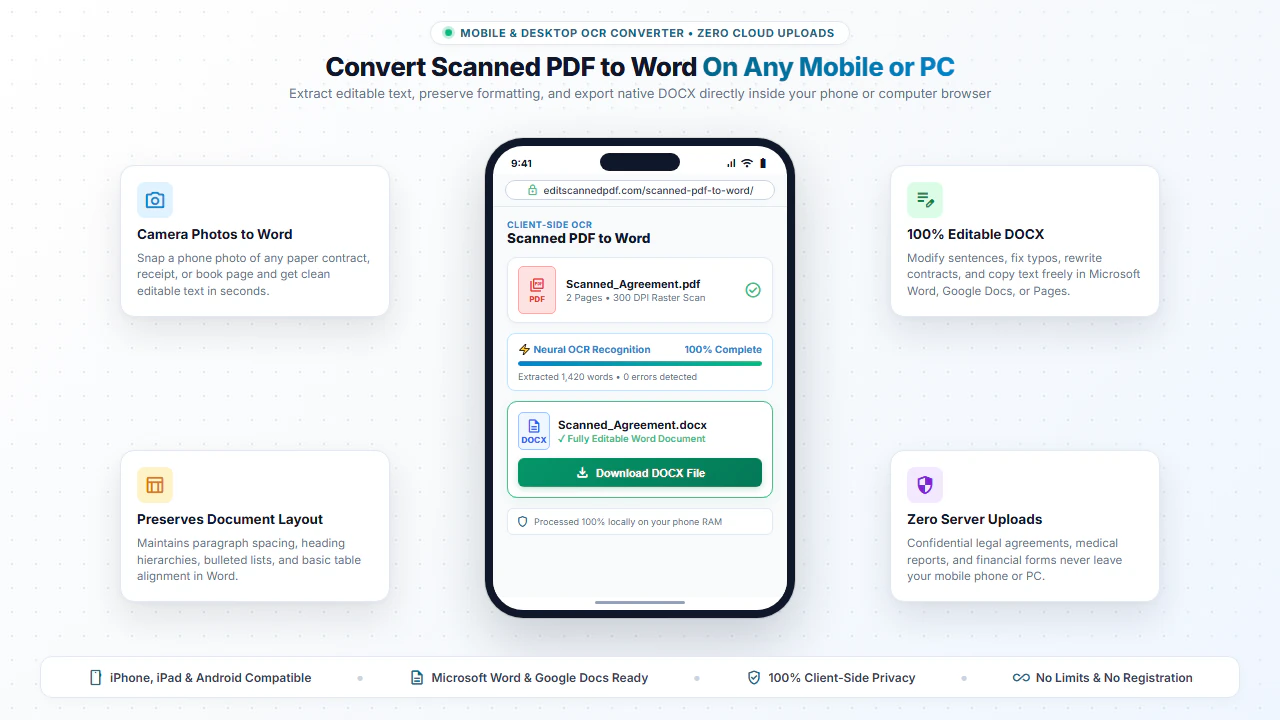
Scanned PDFs contain static pictures of text without underlying digital character data. When you convert a scanned PDF with our OCR tool, the browser runs a high-performance neural character recognition model via WebAssembly.
The model analyzes character geometry, font variations, and word boundaries to reconstruct clean sentences, paragraphs, and lists into a native .docx format compatible with Microsoft Word, LibreOffice, and Google Docs.
Why Use Our In-Browser OCR Word Converter?
High OCR Accuracy
Accurately recognizes scanned legal terms, technical jargon, dates, and numeric totals.
Fully Editable DOCX
The exported Word document allows you to rewrite, reformat, and restyle content freely.
Zero Software Installation
No need to purchase expensive OCR desktop packages or subscribe to monthly cloud services.
100% Private & Secure
All processing executes locally on your device. Your sensitive files never touch the cloud.
Step-by-Step: How to Convert Scanned PDF to Word in 4 Steps
- Step 1: Choose Scanned PDF: Click Select PDF or drag your scanned document into the conversion area.
- Step 2: Run Local OCR: Click Convert to Word to initiate client-side character recognition.
- Step 3: Monitor Progress: Watch real-time OCR progress as pages are converted in browser memory.
- Step 4: Download .DOCX: Save the editable Microsoft Word file directly to your PC.
- Step 1: Tap to Select: Open your scanned PDF from your mobile device files or camera scans.
- Step 2: Start Conversion: Tap Convert to Word to process pages using local WebAssembly.
- Step 3: Preview Output: Wait a few seconds for mobile OCR processing to finalize.
- Step 4: Save Word Doc: Tap Download to open in Word or Google Docs on your phone.
Everyday Scenarios for Scanned PDF to Word Conversion
Legal Contracts & Deeds
Extract clauses from historical scanned contracts to draft updated legal agreements.
Book Chapters & Essays
Convert scanned textbook pages into editable text for research, quotes, and essays.
Medical Records & Invoices
Pull out tabulated medical histories and billing data into Word documents for record keeping.
Government Forms & Notices
Digitize printed notices and paper application forms into reusable templates.
100% Client-Side Privacy Protection
Paper contracts and scanned records contain private addresses, employee details, and financial transactions. Sending them to remote cloud converters creates severe privacy and regulatory compliance hazards.
EditScannedPDF.com executes all OCR text recognition 100% locally in your web browser. Your documents remain completely confidential on your device.
Comparison: EditScannedPDF vs. Traditional Cloud Tools
Understanding how our in-browser WebAssembly architecture protects your sensitive documents compared to legacy cloud PDF converters:
Enterprise-Grade In-Browser Security Architecture
When working with sensitive contracts, financial spreadsheets, medical records, or identity credentials, uploading files to third-party web servers introduces major cybersecurity risks. EditScannedPDF solves this fundamental vulnerability by executing all PDF compilation, vector synthesis, and cryptographic operations directly inside your device's browser memory using WebAssembly.
Your documents never travel across the internet, are never indexed on remote hard drives, and leave zero data footprint behind once you close your browser tab. Experience complete operational privacy built from the ground up to satisfy modern corporate security protocols.
Frequently Asked Questions (FAQ)
How does OCR convert a scanned PDF into an editable Word file?
Optical Character Recognition (OCR) scans the raster image of each page, analyzes the geometric contours of individual letters and words, and reconstructs editable text paragraphs and tables in a standard Microsoft Word DOCX format.
Can I edit the extracted text directly in Microsoft Word or Google Docs?
Yes! The output DOCX document is 100% editable. You can modify sentences, rewrite paragraphs, adjust formatting, and copy-paste text seamlessly.
Does OCR preserve tables and multi-column layouts?
Our OCR engine detects paragraph structures, headings, bullet lists, and standard column alignments to produce clean, well-structured Word documents.
Are my sensitive scanned documents uploaded to the cloud?
No. All OCR detection and DOCX generation occurs 100% inside your web browser using WebAssembly. Your documents are never sent across the internet.