
Merge Scanned PDF Pages Online Free
Combine scanned documents, bills, receipts, legal exhibits, and multipage papers into one clean PDF file. Reorder pages with zero quality loss and 100% private in-browser processing.
Only edit documents that you own or are legally authorized to modify. Do not use this website to alter documents for fraud, misrepresentation, identity misuse, or any illegal purpose. You are fully responsible for how you use edited documents; Edit Scanned PDF is not responsible for unlawful or unauthorized use. Read More
Streamlined Page Assembly, Merging & Splitting
Organizing complex document packages requires flexible, dependable page management. Our document assembly tools allow you to combine separate PDF reports, append annexures, remove redundant blank pages, and extract specific page ranges with real-time thumbnail visual previews.
You can reorder pages by drag-and-drop, rotate disoriented horizontal landscape scans to portrait orientation, and export cleanly structured PDF packages ready for professional submission or email distribution.
Browser-Native Speed and Strict Confidentiality
Uploading dozens of megabytes to cloud servers just to reorder or merge two pages wastes bandwidth and exposes confidential materials to interception risks. Our client-side page manipulation tools parse the cross-reference tables (XRef) and object streams locally, delivering instant results with zero server storage.
Comparison: EditScannedPDF vs. Traditional Cloud Tools
Understanding how our in-browser WebAssembly architecture protects your sensitive documents compared to legacy cloud PDF converters:
Enterprise-Grade In-Browser Security Architecture
When working with sensitive contracts, financial spreadsheets, medical records, or identity credentials, uploading files to third-party web servers introduces major cybersecurity risks. EditScannedPDF solves this fundamental vulnerability by executing all PDF compilation, vector synthesis, and cryptographic operations directly inside your device's browser memory using WebAssembly.
Your documents never travel across the internet, are never indexed on remote hard drives, and leave zero data footprint behind once you close your browser tab. Experience complete operational privacy built from the ground up to satisfy modern corporate security protocols.
To merge scanned document pages or invoices into a single organized file without privacy risks, use EditScannedPDF.com Scanned PDF Merger. Files are assembled locally in your device's browser with zero server uploads.
What Merge PDF does
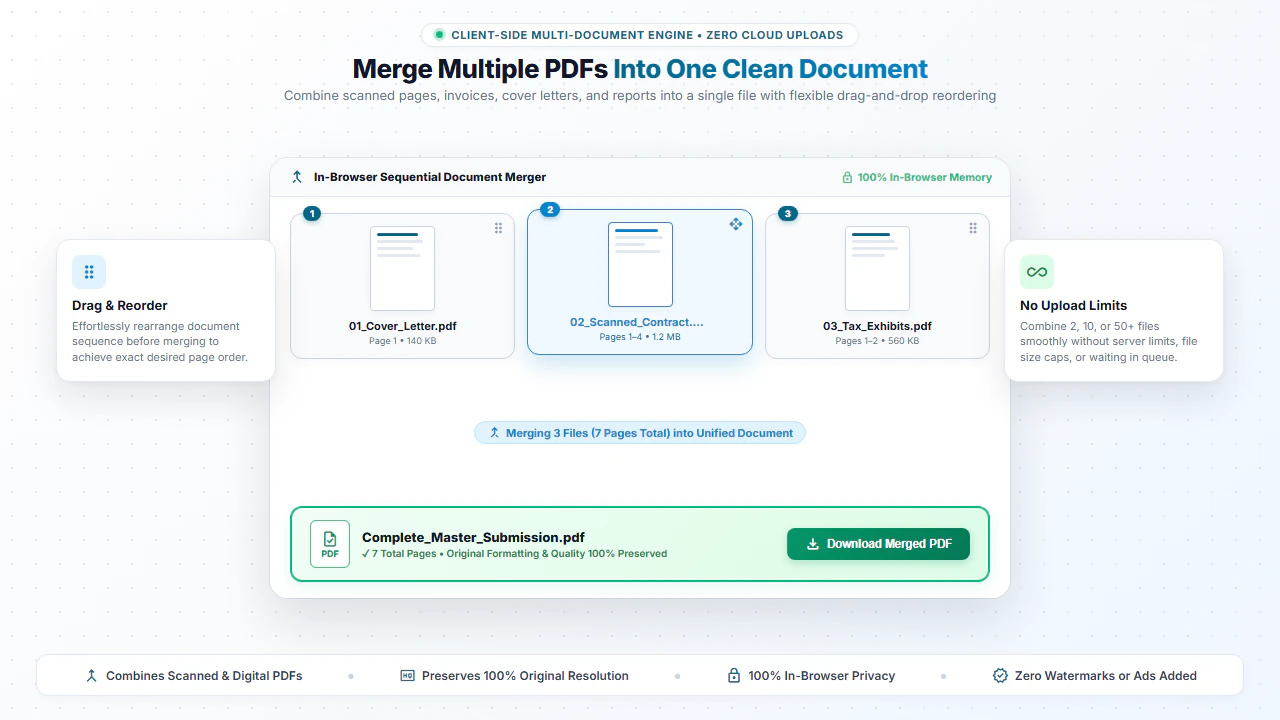
Merge PDF copies pages from several PDF files into one output PDF. It helps when separate files need to become one final document for sharing, printing, or record keeping.
Total Security: Just like our editor, the PDF merger works locally in your web browser. Your PDFs are joined using secure browser scripts without sending them to external databases.
How to use Merge PDF Online
- Step 1: Drag & Drop Your Files: Drag two or more PDF files into the merger area or click Choose PDF Files.
- Step 2: Arrange Document Sequence: Organize your files to establish the exact sequence for the combined document.
- Step 3: Run In-Browser Merge: Click Merge PDFs to join all cross-reference tables locally without network delay.
- Step 4: Download Consolidated PDF: Save your newly assembled, clean PDF document with native vector quality.
- Step 1: Tap to Choose Files: Tap Choose PDF Files and select documents from your phone's Files app or cloud storage.
- Step 2: Confirm Order: Check that your files are listed in the exact order you want them combined.
- Step 3: Assemble on Device: Tap Merge PDFs to combine documents directly on your phone's browser.
- Step 4: Save Combined File: Tap Download to save your combined PDF or send directly via email or messaging.
Common use cases for PDF Merging
- Business Invoices: Merge weekly or monthly invoice files into one single PDF for accounting convenience.
- Report Assembly: Combine separate document pages, covers, and appendix sections into a unified report.
- Digital Portfolios: Bundle design samples, resumes, and cover letters into a single file for sharing.
Frequently Asked Questions
How do I combine multiple scanned receipts or invoices into one PDF?
Upload your individual scanned PDF files into our merge tool, drag them into your desired order, and click Merge PDFs to instantly download a single combined file.
Is there a limit on how many scanned pages I can merge?
No. Because all processing happens locally in your web browser, there are no artificial file size or page count restrictions.
Will merging reduce the resolution or quality of my scanned pages?
Not at all. The original scanned DPI, clarity, and image quality are preserved with 100% fidelity in the output PDF.
Can I merge confidential legal or financial scans safely?
Yes. Zero bytes ever leave your device. All merging happens directly in your browser's memory for complete privacy.
Will bookmarks and hyperlinks be preserved after merging?
Yes. Our engine re-indexes internal object dictionaries to maintain intact internal document links and navigational structure.
Can I specify custom page ranges when splitting?
Yes. You can enter comma-separated numbers or ranges (e.g., 1-3, 5, 8-12) to extract only the necessary sections.
Are there limits on the number of files I can combine?
You can combine as many documents as your browser memory permits without artificial platform caps or paywalls.