
Find and Replace PDF Text Online Free
Search words, names, dates, and terms across your PDF document and replace them across all pages in seconds. Works on digital PDFs and scanned image documents with 100% private in-browser execution.
Choose a scanned or normal PDF to open the interactive editor with Find & Replace ready.
Only edit documents that you own or are legally authorized to modify. Do not use this website to alter documents for fraud, misrepresentation, identity misuse, or any illegal purpose. You are fully responsible for how you use edited documents; Edit Scanned PDF is not responsible for unlawful or unauthorized use. Read More
How Automated PDF Find & Replace Works
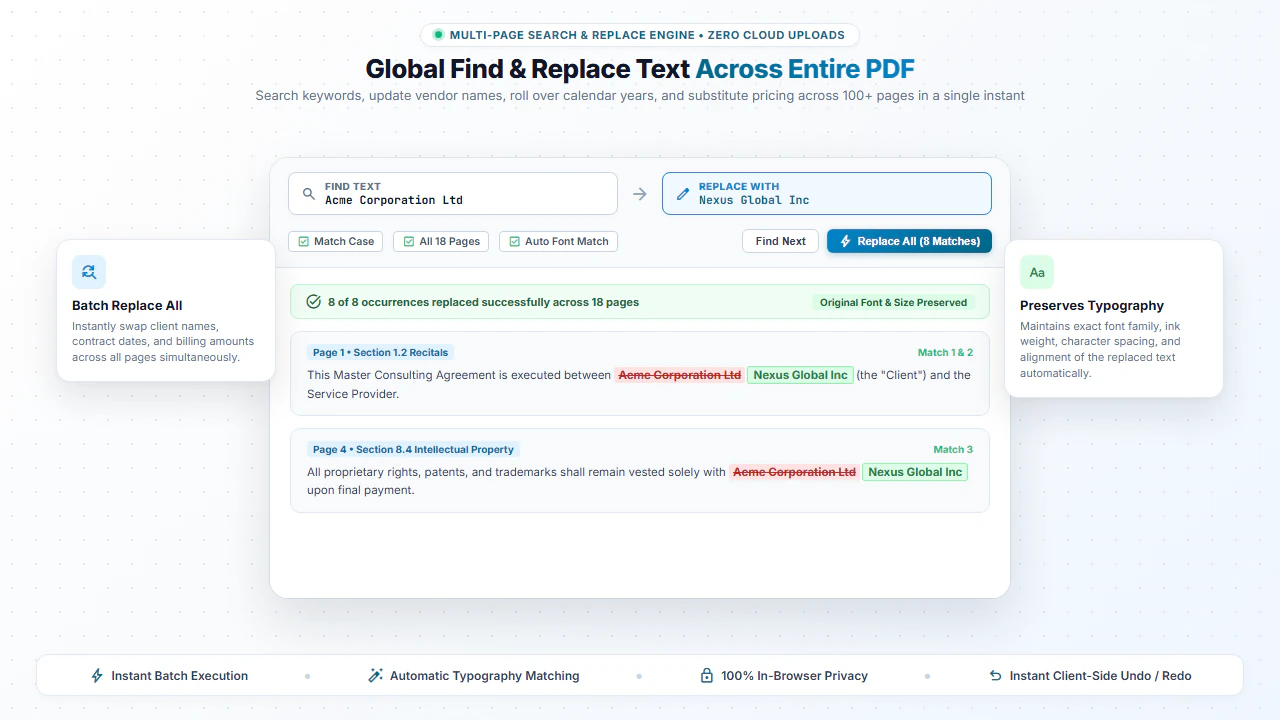
Unlike basic text search tools that merely jump between occurrences, our Find and Replace tool identifies character bounding boxes, masks out the original word using background-matched vectors, and places newly formatted replacement text at the exact same location.
This automated workflow ensures clean, seamless text replacement across 50-page contracts, financial statements, and technical manuals without manual line-by-line editing.
Step-by-Step: How to Find and Replace Text in PDF
- Step 1: Open Document: Drag your PDF file into the browser search and replace workspace.
- Step 2: Find Occurrences: Enter the keyword, date, or phrase to highlight all instances in the document.
- Step 3: Set Replacement: Enter the new text and verify the automated font-matching preview.
- Step 4: Download Updated PDF: Click Replace All and save the modified PDF directly to your PC.
- Step 1: Tap to Upload: Select your PDF from your smartphone storage or files.
- Step 2: Type Target Word: Enter the text you wish to find on the page.
- Step 3: Enter New Text: Input your correction in the replacement field.
- Step 4: Save Document: Tap Apply & Download to save the revised PDF to your phone.
Everyday Scenarios for PDF Find and Replace
Contract Name & Entity Updates
Update party names, company entity designations, and addresses across master service agreements.
Fiscal Year & Date Changes
Roll over annual financial reports, proposals, and schedules by changing 2025 to 2026 across dozens of pages.
Price & Fee Corrections
Update product pricing, hourly rates, or catalog item codes across sales brochures and rate cards.
Template Customization
Quickly replace placeholder text (like [CLIENT NAME]) in boilerplate proposal templates.
100% Client-Side Privacy: No Server Uploads
Legal contracts and sensitive financial spreadsheets should never be uploaded to cloud converter servers. Cloud leaks can expose confidential business terms.
EditScannedPDF.com executes all find and replace operations 100% locally in your web browser. Your documents are never sent across the internet.
Comparison: EditScannedPDF vs. Traditional Cloud Tools
Understanding how our in-browser WebAssembly architecture protects your sensitive documents compared to legacy cloud PDF converters:
Enterprise-Grade In-Browser Security Architecture
When working with sensitive contracts, financial spreadsheets, medical records, or identity credentials, uploading files to third-party web servers introduces major cybersecurity risks. EditScannedPDF solves this fundamental vulnerability by executing all PDF compilation, vector synthesis, and cryptographic operations directly inside your device's browser memory using WebAssembly.
Your documents never travel across the internet, are never indexed on remote hard drives, and leave zero data footprint behind once you close your browser tab. Experience complete operational privacy built from the ground up to satisfy modern corporate security protocols.
Frequently Asked Questions (FAQ)
Can I search and replace text across all pages in a PDF at once?
Yes! Our Find and Replace tool searches all pages across the entire document, highlights all matching instances, and lets you replace them individually or all at once in a single click.
Does find and replace work on scanned paper PDFs?
Yes! When you upload a scanned PDF, our WebAssembly OCR engine detects text words and coordinates, allowing you to search and substitute scanned text seamlessly.
Does replacing text change the original font style?
The editor automatically inherits the font family, font size, weight, and color of the replaced text block to maintain visual consistency.
Are my files kept confidential?
Yes, 100% confidential. All text searching, OCR indexing, and replacements execute locally in your web browser memory without server uploads.