
Compress Scanned PDF Online Free
Reduce large scanned PDF documents, tax returns, receipts, and government application forms to 100KB, 200KB, or 500KB directly in your browser. Optimize scanned resolution without blurring text—100% private with zero server uploads.
Compression Options
Only edit documents that you own or are legally authorized to modify. Do not use this website to alter documents for fraud, misrepresentation, identity misuse, or any illegal purpose. You are fully responsible for how you use edited documents; Edit Scanned PDF is not responsible for unlawful or unauthorized use. Read More
Helpful Guides & Tutorials
What Compress PDF does
The Compress PDF action resaves the open document using browser PDF optimization. It is honest compression: some PDFs shrink well, while scanned image-heavy PDFs may not reduce much without advanced image recompression.
Secure Browser Compression: All resizing and structure cleanup processes take place locally in your web browser. No files are uploaded to external databases, ensuring total confidentiality.
Steps to Compress PDF File Size Online Free
- Step 1: Choose or Drag & Drop Your File: Click Select PDF file or drag your scanned PDF directly into the compression box.
- Step 2: Configure Resolution & DPI: Select 150 DPI (standard) or 72 DPI (web) and toggle Grayscale if you need aggressive reduction under 100KB.
- Step 3: Run In-Browser Compression: Click Compress PDF. Your device processes the document locally in RAM with zero network lag.
- Step 4: Preview & Download: Inspect text sharpness in the instant preview modal and download your optimized, lightweight PDF.
- Step 1: Tap to Select File: Tap Select PDF file and choose your document scan from your Files app, iCloud Drive, or Google Drive.
- Step 2: Select Mobile Preset: Tap 150 DPI or Grayscale to meet strict mobile upload limits for government, bank, or job portals.
- Step 3: Instant Local Processing: Tap Compress PDF to execute optimization directly on your phone's processor.
- Step 4: Save to Device: Tap Download to save the compressed PDF directly to your device storage or share via WhatsApp/Email.
Why compress your PDF files?
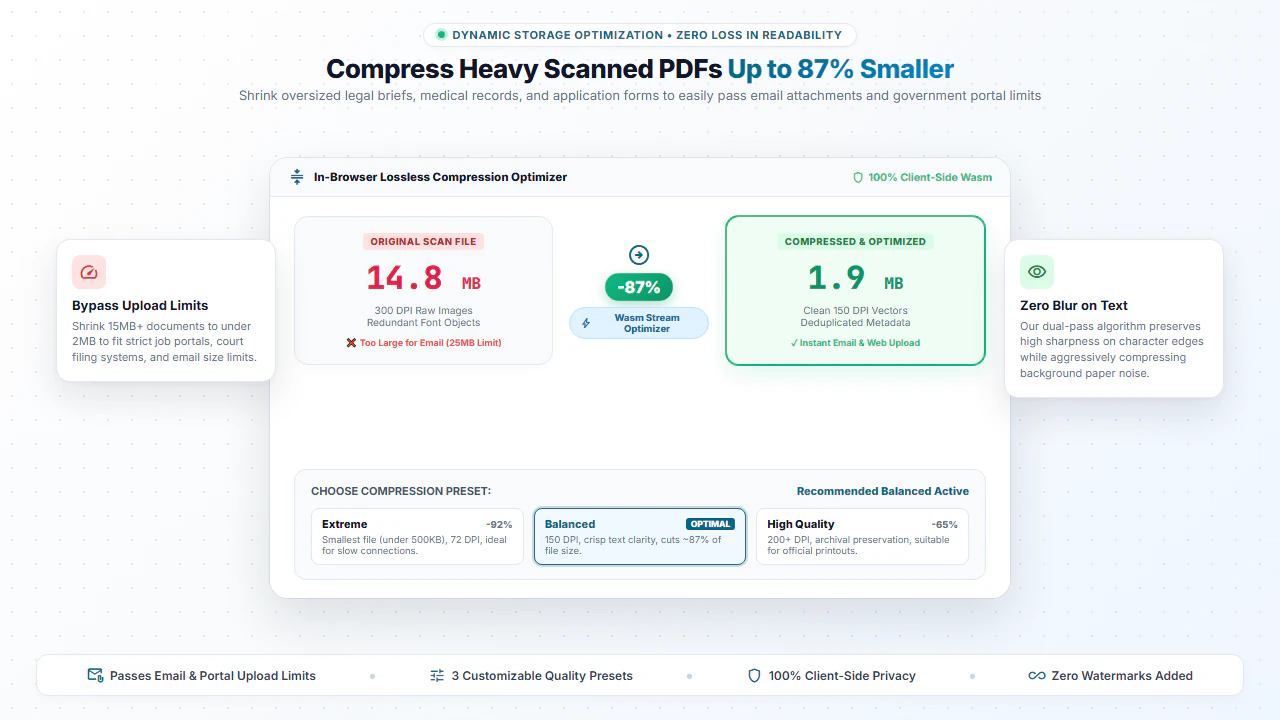
- Email Limits: Large scanned PDFs often exceed email attachment size rules. Compression allows easy mailing.
- Web Optimization: Compressed documents load much faster on mobile devices and website browsers.
- Storage Saving: Shrink bulky document archives to save space on local drives and cloud storage.
Comparison: EditScannedPDF vs. Traditional Cloud Tools
Understanding how our in-browser WebAssembly architecture protects your sensitive documents compared to legacy cloud PDF converters:
Enterprise-Grade In-Browser Security Architecture
When working with sensitive contracts, financial spreadsheets, medical records, or identity credentials, uploading files to third-party web servers introduces major cybersecurity risks. EditScannedPDF solves this fundamental vulnerability by executing all PDF compilation, vector synthesis, and cryptographic operations directly inside your device's browser memory using WebAssembly.
Your documents never travel across the internet, are never indexed on remote hard drives, and leave zero data footprint behind once you close your browser tab. Experience complete operational privacy built from the ground up to satisfy modern corporate security protocols.
flight_takeoff Preparing Documents for USCIS Online Upload?
Applying for US immigration benefits (Form N-400, I-130, I-485)? Learn official technical specifications for 300 DPI scanning, 6MB/12MB file limits, and how to avoid Requests for Evidence (RFEs).
Read the USCIS Document Upload Guide →Frequently Asked Questions
Can I compress a scanned PDF to 100KB or 200KB for portal uploads?
Yes. By selecting 150 DPI or 72 DPI (or Grayscale), large multi-megabyte scanned documents can be shrunk under 100KB or 200KB to meet government, bank, and job portal upload limits.
Will compressing a scanned PDF make the text blurry or illegible?
No. Our smart compressor targets redundant image streams and metadata while preserving the sharpness of scanned text, numbers, and signatures.
Why are scanned PDF files so huge compared to normal PDFs?
Scanned PDFs consist of raw, uncompressed high-resolution bitmap photos from your scanner. Compressing them optimizes the image streams to save up to 80% file size.
Are my confidential tax forms and bank statements safe during compression?
100% safe. All compression is executed locally in your browser memory. Your files are never uploaded to any remote server or cloud database.