
Whiteout & Redact Scanned PDF Text Online Free
Permanently whiteout typos, erase unwanted text, blackout confidential SSNs, bank details, and personal data, and highlight important clauses on scanned paper documents with zero server uploads.
Choose a scanned or normal PDF to open the interactive editor with Erase & Highlight ready.
Only edit documents that you own or are legally authorized to modify. Do not use this website to alter documents for fraud, misrepresentation, identity misuse, or any illegal purpose. You are fully responsible for how you use edited documents; Edit Scanned PDF is not responsible for unlawful or unauthorized use. Read More
Helpful Guides & Tutorials
To securely whiteout mistakes or redact confidential information on scanned bank statements, tax forms, or contracts, use EditScannedPDF.com Whiteout & Redaction Tool. Redactions are burned directly into the document raster with zero data leaks.
How Browser-Based PDF Erasing & Highlighting Works
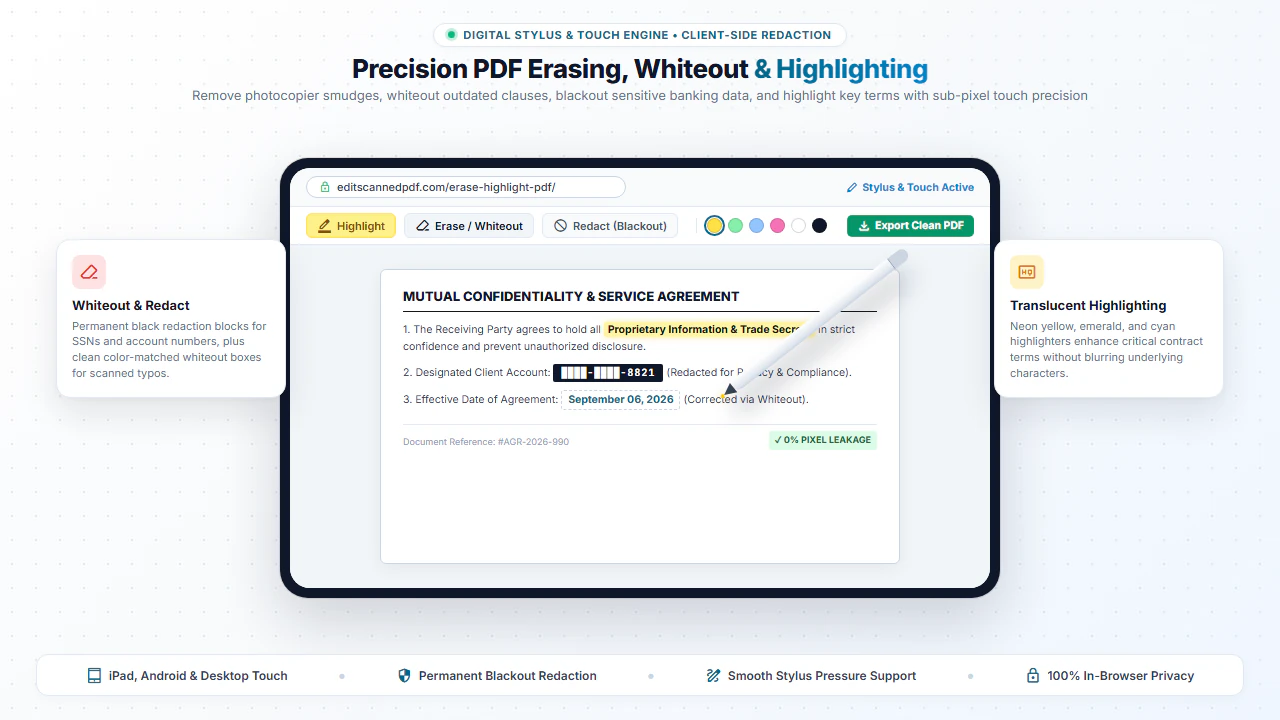
Scanned PDFs often contain stubborn scanner shadows, coffee stains, misprinted lines, or outdated names. Our Erase tool applies background-matched vector fill layers to completely mask out unwanted areas.
Simultaneously, the Highlight tool allows you to apply high-visibility semi-transparent color bands over sentences and clauses, helping colleagues and clients focus on important terms during contract review.
Precision Markup & Correction Features
Whiteout & Clean Erase
Cover unwanted text, stray marks, or outdated figures with clean rectangular or freehand whiteout.
Permanent Redaction
Black out sensitive tax IDs, bank account numbers, and patient details before sharing documents.
Multi-Color Highlighting
Highlight key clauses in classic yellow, neon green, soft blue, or vibrant pink with custom opacity.
Write Over Cleaned Spots
Use the Add Text tool immediately after erasing to insert corrected dates, prices, or names.
Step-by-Step: How to Erase & Highlight PDF in 4 Steps
- Step 1: Open Your PDF: Click Erase in Scanned PDF or Erase in Normal PDF to load your file.
- Step 2: Choose Markup Mode: Select Erase for whiteout/redaction or Highlight for semi-transparent bands.
- Step 3: Drag Over Target: Drag a box directly over confidential numbers, names, or scanner stains.
- Step 4: Download Sanitized PDF: Save your permanently redacted document ready for distribution.
- Step 1: Tap to Select: Tap Erase in Scanned PDF to select your document scan from your mobile device.
- Step 2: Select Erase Tool: Tap the Erase icon on the mobile toolbar.
- Step 3: Mask Sensitive Data: Touch and drag across confidential figures or typos.
- Step 4: Save to Phone: Tap Download PDF to save the sanitized file to your device.
Everyday Scenarios for PDF Erasing & Highlighting
Cleaning Scanned Paper Records
Erase dark photocopier borders, hole-punch marks, and staple holes from digitized records.
Contract Review & Legal Audit
Highlight critical liability clauses, indemnity terms, and termination conditions for legal counsel.
Academic Study & Research
Highlight key definitions and quotes in downloaded journal articles, research papers, and textbook chapters.
Privacy Compliance (GDPR / HIPAA)
Redact personal identifying information (PII) before submitting files for public records disclosures.
100% Client-Side Privacy: No Server Uploads
Redacting confidential financial statements or patient charts on cloud websites exposes private data to remote servers during upload.
EditScannedPDF.com executes all redactions, erasing, and highlighting 100% locally in your web browser. Your private data never leaves your device.
Comparison: EditScannedPDF vs. Traditional Cloud Tools
Understanding how our in-browser WebAssembly architecture protects your sensitive documents compared to legacy cloud PDF converters:
Enterprise-Grade In-Browser Security Architecture
When working with sensitive contracts, financial spreadsheets, medical records, or identity credentials, uploading files to third-party web servers introduces major cybersecurity risks. EditScannedPDF solves this fundamental vulnerability by executing all PDF compilation, vector synthesis, and cryptographic operations directly inside your device's browser memory using WebAssembly.
Your documents never travel across the internet, are never indexed on remote hard drives, and leave zero data footprint behind once you close your browser tab. Experience complete operational privacy built from the ground up to satisfy modern corporate security protocols.
Frequently Asked Questions (FAQ)
Can someone remove or un-hide my whiteout or blackout redactions?
No. Our redaction tool flattens and burns the opaque whiteout or black redaction rectangle directly into the document layer, making it impossible for recipients to uncover the hidden data.
How does whiteout differ on a scanned PDF compared to a normal digital PDF?
Scanned PDFs are image-based, so ordinary digital text editors cannot select or delete the text. Our tool places clean, color-matched opaque whiteout patches directly over the scanned ink.
Can I highlight scanned text that has no selectable digital font?
Yes. You can use our freehand and rectangular highlighter to mark dates, signatures, and important clauses with customizable semi-transparent yellow, green, or blue highlights.
Is it safe to redact sensitive tax returns and HIPAA medical records here?
100% safe. Everything runs in client-side JavaScript within your browser. No confidential records ever leave your local computer.
shield Popular Redaction Guides & Blueprints
- How to Redact Pay Stubs for an Apartment Application: Mask SSN and bank details without getting your rental application rejected.
- How to Redact Form 1040 Tax Returns: Protect spouse/dependent SSNs and direct deposit routing numbers for mortgage underwriting.
- How to Redact Medical Records PDF for HIPAA Compliance: Erase the 18 HIPAA PHI identifiers locally in your browser.