
How to Collate & Assemble Scanned Transcripts and Degree Records into One PDF for University Admissions Portals
1. Why Universities & WES Require a Single Combined PDF
Applying for university admission, credential evaluation, or professional licensing often requires following rigid document upload guidelines. Major admissions portals—including Common App, GradCAS, ApplyWeb, and evaluation services like World Education Services (WES)—enforce a strict submission rule: Applicants must upload semester marksheets, transcripts, and degree certificates collated into one single PDF packet.
Submitting multiple detached files or camera snapshots causes serious administrative bottlenecks:
- Document Separation Risk: Separate files can become detached during automated portal batch processing, causing incomplete application statuses.
- Review Delays: Admissions committees review thousands of dossiers. Opening 8 to 12 separate PDF links for a single applicant slows evaluations down significantly.
- Strict File Size Limits: Portals enforce upload thresholds (typically 5MB to 10MB). High-resolution scanner files quickly breach these limits unless compressed intelligently.
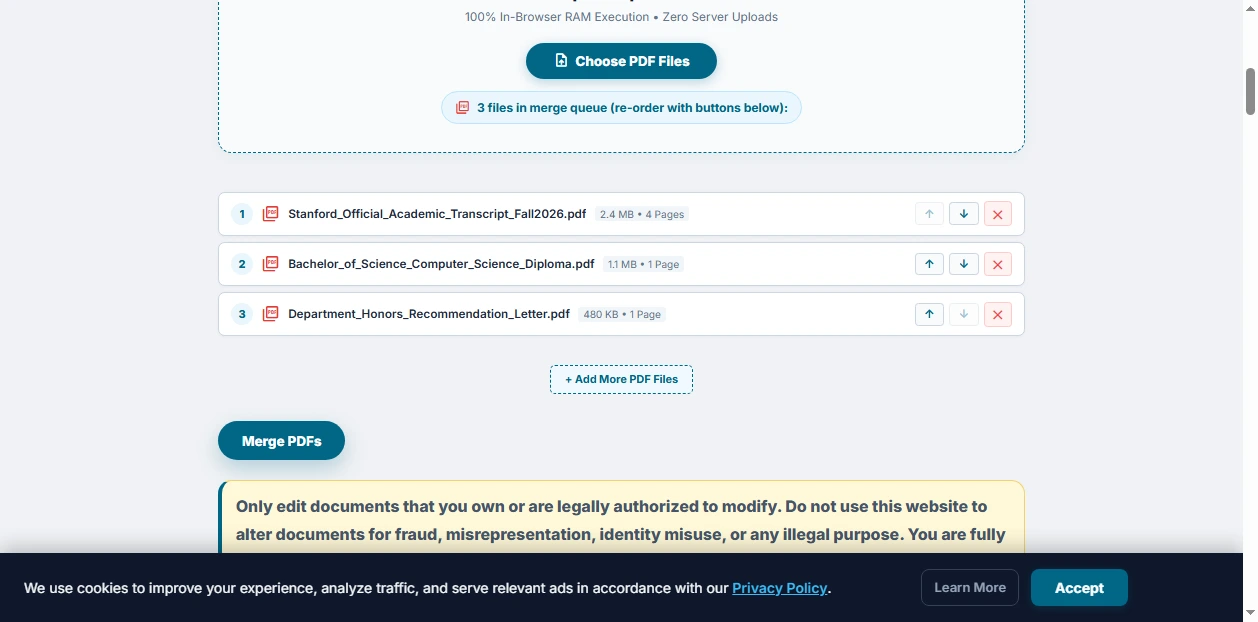
2. 4 Steps to Combine Transcripts & Diplomas Online (Step-by-Step)
Compile an audit-proof academic admissions package in four fast steps using our zero-upload client-side PDF merger:
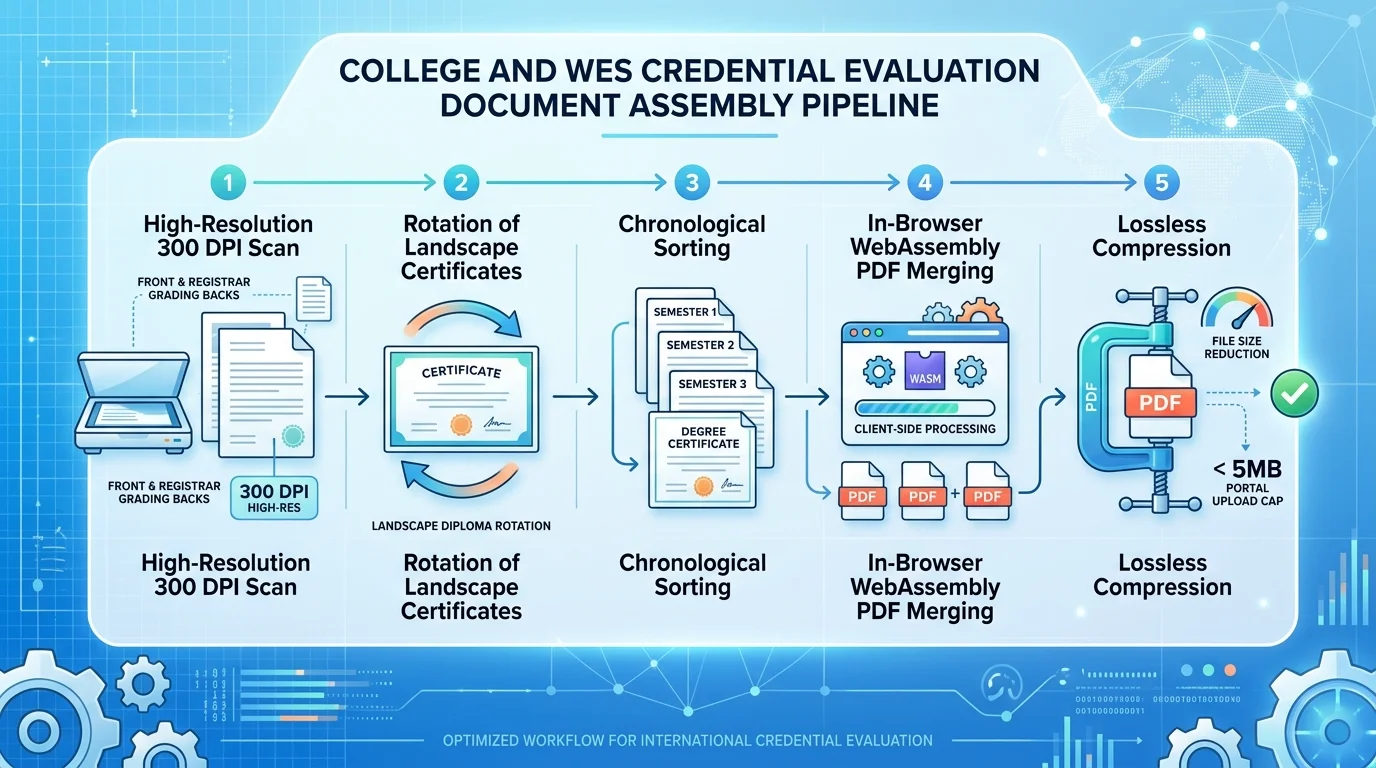
Scan at 300 DPI (Both Sides)
Digitize your degree diploma and all semester marksheets at 300 DPI. Always include the reverse side of transcripts containing registrar grading scales.
Rotate Landscape Pages
Ensure horizontal degree certificates and broad marksheet tables are rotated upright. Reviewers reject sideways pages that require head tilting.
Order Chronologically
Drag and reorder your pages: Degree Certificate first, followed by Semester 1 through graduation marksheets, ending with certified translations.
Merge & Compress Under 10MB
Click Merge PDF. The browser engine assembles a unified booklet. If the file exceeds portal limits, pass it through the PDF Compressor.
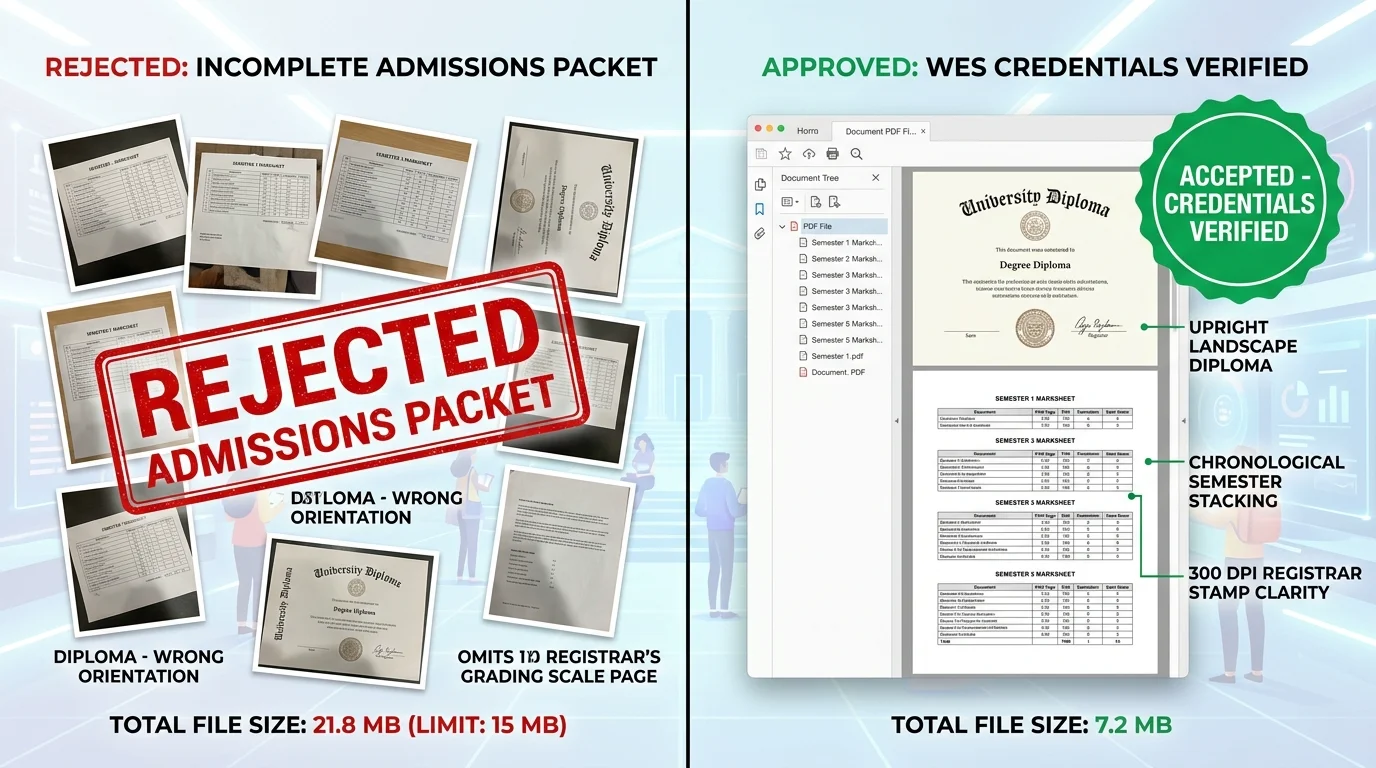
3. Admissions Portfolio Collation Standards & Document Order
International credential assessment guidelines (such as those outlined by AACRAO and WES) recommend a standardized document hierarchy. When merging your PDF package, adhere to this sequence:
- Page 1: Final Degree Certificate or Graduation Diploma — This provides the admissions evaluator with immediate verification of degree conferred, major, graduation date, and honors.
- Pages 2 to N: Marksheets / Grade Transcripts (Chronological Order) — Arrange sequentially starting from Year 1 / Semester 1 through the final graduating term. Include intermediate consolidated grade cards.
- Reverse Pages (Grading Keys & Formulas) — Keep the grading scale immediately adjacent to or right behind each corresponding marksheet so evaluation officers can convert international grade scales into 4.0 GPA equivalencies.
- Final Pages: Certified English Translations — If your original institution issues transcripts in a language other than English, place the certified professional translation and translator's affidavit at the end of the document.
4. 3-Way Architectural Comparison: In-Browser vs Desktop vs Cloud SaaS
Academic credentials contain sensitive personal identifiable information (PII)—including your full legal name, date of birth, student identification number, university roll number, and complete academic history. Here is how processing methods compare:
| Evaluation Criteria | EditScannedPDF (In-Browser) | Adobe Acrobat Pro (Desktop) | Generic Cloud PDF Converters |
|---|---|---|---|
| Student PII Privacy | 100% Client-Side RAM (0 Egress) | Local Drive (Local Storage) | Stored on Cloud Servers |
| Software Installation | Zero Install (Instant Web App) | Heavy Desktop Install (~2GB) | Zero Install (Browser Upload) |
| Pricing & Subscriptions | 100% Free Forever | $239.88 / year recurring | Freemium (File size caps, paywalls) |
| Multi-Orientation Handling | Independent Page Rotation | Supported | Frequently flattens incorrectly |
| Admissions Limit Compression | Integrated <10MB Compression | Integrated Optimizer | Severe downsampling / blurriness |
EditScannedPDF provides document preparation tools exclusively for standard academic assembly, multi-page sorting, orientation correction, and portal file size optimization. Academic dossiers compiled for graduate admissions or employer archiving must preserve original marks, credits, institutional seals, and registrar signatures exactly as issued. For complete details, review our Terms of Service and Legal Disclaimer.
Related Step-by-Step PDF Guides
Edit Your Scanned PDF Online Free
Merge your degree certificate, marksheets, and registrar translations in perfect chronological order. 100% private W3C WebAssembly processing.
merge Merge Academic PDFs FreeUniversity admissions portals (Slate, ApplyWeb, Common App) and credential evaluation agencies (WES, ECE) require applicants to submit academic records as a single consolidated PDF under 5MB–10MB. This guide demonstrates how to scan transcripts and degree diplomas at 300 DPI, collate them in chronological semester order, rotate landscape diplomas upright, and merge them into an audit-proof academic portfolio entirely inside your web browser.
- Admissions Packet Sequencing: Place official transcripts first, followed by certified diploma certificates and supporting identification.
- DPI & Resolution Consistency: Balance 150-200 DPI settings to keep your combined academic portfolio under strict institutional upload limits (e.g. 5MB-10MB).
- Academic Integrity Notice: Combines document sheets into an organized application packet without modifying grades, credentials, or issuing dates.
- Instant Local Merging: Multiple scans are stitched together in browser memory, avoiding long server queues or privacy exposure.
Related Scanned PDF Guides & Tools
5. Frequently Asked Questions (FAQ)
Why do university admissions portals allow only a single PDF upload for transcripts?
Admissions officers review thousands of applications annually through systems like Slate, ApplyWeb, and Common App. Allowing only a single unified PDF prevents transcripts from becoming separated from degree certificates, guarantees correct chronological review, and speeds up academic credential evaluation.
Do I need to include the back side of my transcript pages?
Yes, absolutely! Credential evaluation services such as World Education Services (WES) and university graduate admissions committees require the back of transcripts because that is where the registrar's official grading scale, credit calculation formulas, and institutional accreditation details are printed.
What is the file size limit for university transcript uploads?
Most international university portals and scholarship systems enforce a file size limit between 5 MB and 10 MB per PDF document. Merged files exceeding this limit must be compressed using lossless image optimization to avoid upload rejection.
Is my academic data and personal information safe on EditScannedPDF.com?
Completely private. EditScannedPDF processes all PDF files locally inside your web browser's RAM via WebAssembly. Your academic records, student identification numbers, and grades never leave your computer or transit over cloud servers.
What is the standard page ordering for academic credential portfolios?
The international admissions standard is to place the Graduation Degree Certificate or Diploma on page 1, followed chronologically by Semester 1 or Year 1 marksheets through the final semester, concluding with official certified English translations if applicable.
Can I combine landscape diploma certificates with portrait semester transcripts?
Yes. PDF documents natively support independent page orientations. When merging on EditScannedPDF, rotate landscape diplomas so text reads right-side-up, ensuring admissions reviewers do not have to tilt their heads or rotate their screens.
How can I ensure registrar seals and watermark security marks remain legible?
Scan all original paper documents at 300 DPI in 24-bit color. This captures subtle embossed stamps, security micro-print, and multicolored watermark seals required by admissions officers to authenticate original documents.