
How to Organize Scanned Receipts for Tax Deductions & IRS Audits [Complete Guide]
1. IRS Revenue Procedure 97-22: Legality of Digital Receipts
Many small business owners and freelancers still maintain overflowing boxes of paper receipts out of fear that the Internal Revenue Service (IRS) will disallow deductions without physical paper. However, federal tax law has recognized electronic document storage for over two decades.
Under IRS Revenue Procedure 97-22, taxpayers are explicitly permitted to discard paper receipts provided their electronic storage system satisfies five core criteria:
- Complete Legibility: The digitized file must accurately reproduce all lines, dates, and amounts without distortion, blurring, or illegible artifacting.
- Immediate Retrieval: The taxpayer must be able to locate, display, and produce paper copies of any requested record promptly upon an auditor's request.
- Systematic Indexing: Digital records must be organized chronologically and categorized according to the tax returns they substantiate.
- Internal Controls: The storage method must prevent unauthorized deletion, modification, or post-dated tampering of financial records.
- Hardware Durability: The files must be stored in standard, non-proprietary formats (such as standard ISO 32000 PDF) that remain readable across future computing platforms.
2. The Thermal Paper Trap: Why Physical Receipts Disappear
Relying on physical paper receipts is one of the most hazardous recordkeeping strategies a business can adopt. Nearly all cash register receipts from office supply stores, gas stations, hardware centers, and restaurants are printed on thermal paper.
Thermal paper does not use traditional ink. Instead, it is treated with a heat-sensitive chemical coating that changes color when exposed to heat from a thermal printer head. Over time, exposure to light, friction, and heat causes this print to fade:
- Heat & Sunlight Exposure: Storing receipts in a car glove box, desk drawer near a window, or wallet exposes them to temperatures that turn the paper black or fade the print into complete transparency.
- Chemical Degradation: Plasticizer chemicals found in PVC plastic sleeves and plastic folders react with thermal paper, dissolving the text within months.
- Skin Oil Contact: Handling receipts transfers natural body oils that accelerate chemical fading.
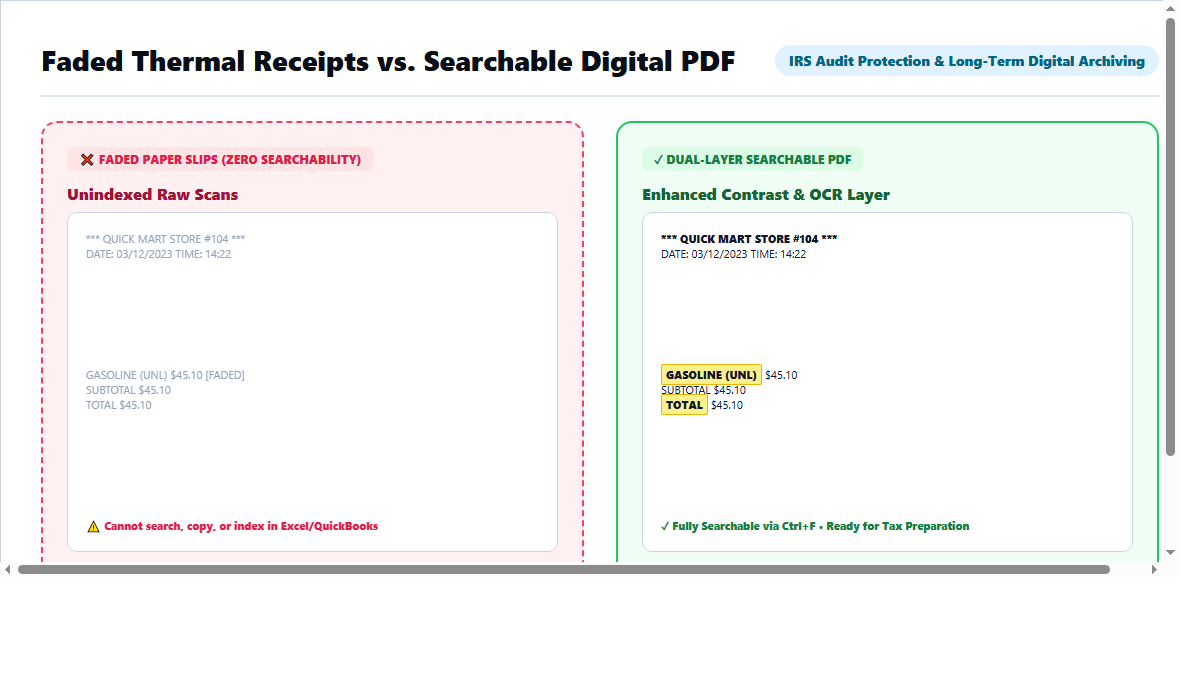
Under IRS recordkeeping regulations, when an auditor requests substantiation for a $4,500 equipment deduction three years later, presenting a blank white slip of paper results in an immediate disallowance, back taxes, and statutory penalties. Digitizing receipts immediately upon purchase protects your legitimate deductions.
3. 4-Step Practical Guide: Archiving Receipts in Searchable PDF Binders
Transforming your loose expense slips into an organized, professional PDF tax binder takes only a few minutes with our client-side tools:
Digitize Receipts at Point of Sale
Photograph or scan paper receipts immediately at 300 DPI. Capture the full receipt from header to payment method, ensuring merchant name and date are sharp.
Group by Schedule C Category
Sort files into folders matching IRS expense lines: Advertising, Car & Truck, Office Expenses, Travel, Meals (50%), Legal Services, and Equipment.
Merge into Annual PDF Binders
Open Organize PDF or Merge PDF. Drop receipt images for that quarter or year and arrange them chronologically into a single, cohesive multi-page file.
Apply Client-Side OCR Indexing
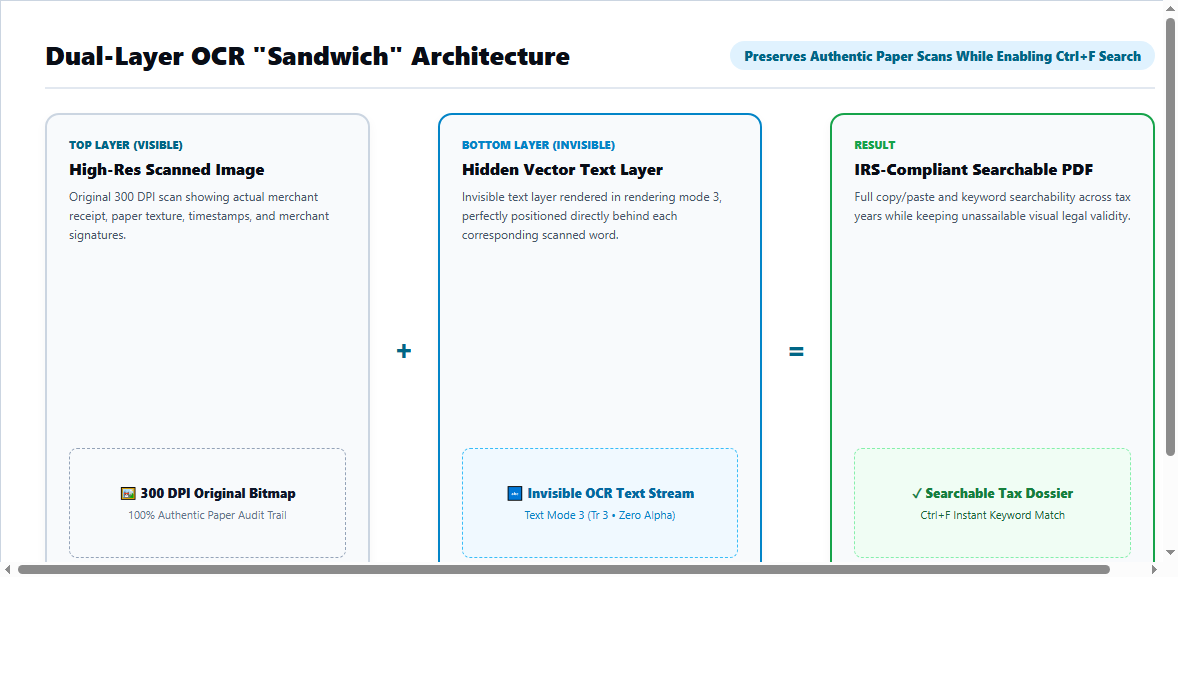
Open OCR Searchable PDF to embed a searchable text layer. You can now press Ctrl+F to find any merchant name, invoice number, or dollar amount instantly.
4. Method Comparison: Searchable PDF Binders vs. Shoeboxes vs. Expense Apps
Examine how our free, in-browser PDF binder workflow compares against traditional physical storage and expensive subscription expense management apps:
| Organization Method | EditScannedPDF Searchable Binders | Traditional Paper Shoebox Storage | Subscription Expense Apps (Expensify) | Generic Cloud Photo Folders |
|---|---|---|---|---|
| Data Privacy & Security | 100% In-Browser RAM (Zero upload) | Physical paper vulnerability | Stored on corporate vendor clouds | Uploaded to personal cloud drive |
| Searchability (Ctrl+F) | Instant keyword search across all pages | Zero searchability (Manual paper sift) | Searchable within proprietary app | Unsearchable raster image files |
| Long-Term Durability | Permanent (Standard ISO 32000 PDF) | Severe risk of thermal ink fading | Export locked behind subscription | Permanent file storage |
| Recurring Cost | 100% Free Forever | Storage containers & physical binders | $5 to $18 per user / month recurring | Cloud storage subscription tiers |
| CPA & Auditor Friendliness | 1 single clean file per expense category | Causes auditor frustration & fees | Requires proprietary CSV/PDF exports | Disjointed individual image files |
Related Document Productivity Guides
Organize Scanned Receipts Online Free
Reorder, rotate, merge, and organize expense slips into clean, audit-ready PDF archives. 100% private, free, and runs entirely in your local browser.
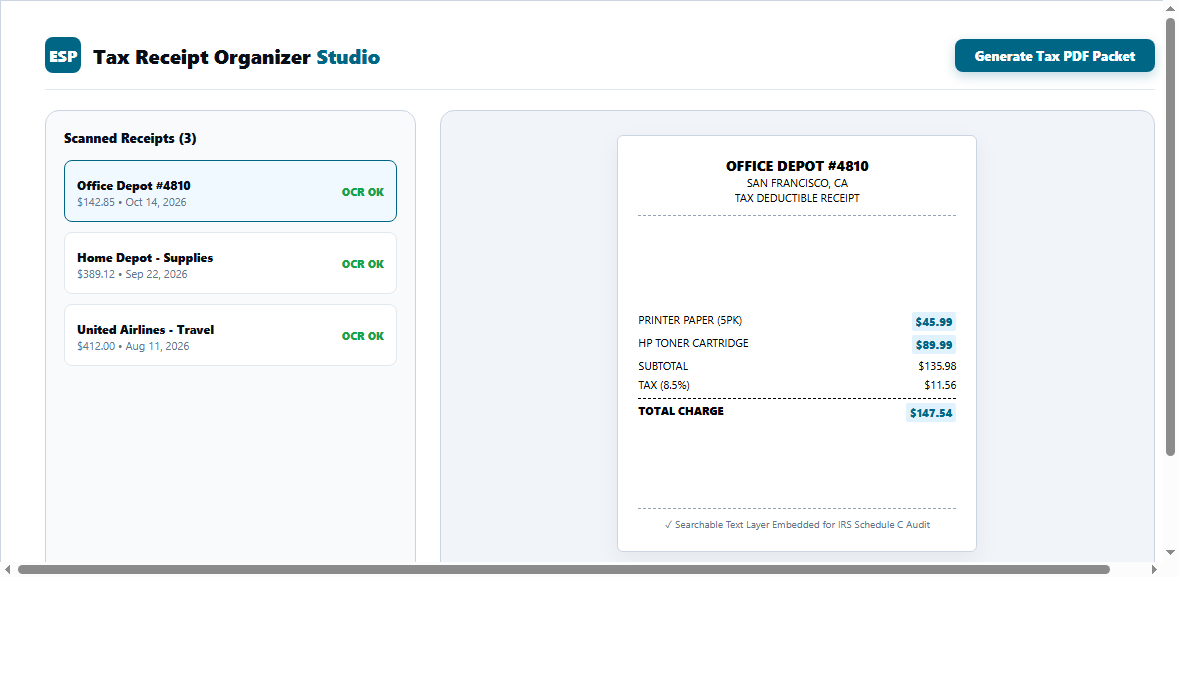
grid_view Open Organize PDF StudioSmall business owners, independent contractors, and freelancers lose thousands of dollars in legitimate tax deductions each year because physical paper receipts fade into illegible blank strips or become lost in cluttered shoeboxes. Under IRS Revenue Procedure 97-22, digital scanned copies are 100% legally recognized as original tax substantiation. This guide demonstrates how to digitize paper slips, organize them by Schedule C expense categories, merge and arrange them with our Organize PDF Studio, and apply client-side OCR so you can search every deduction instantly.
- Expense Categorization: Collate receipts chronologically or by tax category (travel, supplies, utilities) for smooth accountant review.
- Thermal Paper Clarification: Enhance faded thermal receipts by adjusting black-and-white contrast before IRS archiving.
- Audit-Ready PDF Packets: Consolidate loose receipts into clean multi-page expense binders with custom summary cover sheets.
- Confidential Financial Handling: Business deductions and vendor receipts remain secure on your device without third-party cloud tracking.
Related Scanned PDF Guides & Tools
5. Frequently Asked Questions (FAQ)
Does the IRS legally accept scanned digital copies of receipts?
Yes. Since 1997, IRS Revenue Procedure 97-22 has officially permitted taxpayers to destroy paper receipts and maintain digital electronic copies, provided the digital storage system accurately reproduces the documents with complete legibility and allows rapid retrieval during an examination.
What specific information must be visible on a scanned business receipt?
To satisfy an IRS audit, each scanned receipt must legibly display five core data points: 1) Date of expenditure, 2) Vendor or merchant name, 3) Total amount paid including tax, 4) Detailed description of the items or services purchased, and 5) Proof of payment method.
How long must I retain digital scanned receipts for tax purposes?
The general IRS statute of limitations is 3 years from the date you filed your tax return. However, if you claim a loss for bad debt or worthless securities, retain receipts for 7 years. For business property, equipment, and real estate, keep receipts until the period of limitations expires for the year you dispose of the property.
Why do physical paper receipts fade, and why is scanning critical?
Most retail, restaurant, gas station, and travel receipts are printed on thermal paper coated with heat-sensitive chemical compounds. Exposure to heat, light, friction, or storage in wallets causes the print to fade significantly within 6 to 18 months, leaving blank paper that fails IRS audits.
How does running OCR on scanned receipt binders benefit my tax filing?
Running client-side Optical Character Recognition embeds an invisible text layer behind the receipt images. This allows you and your tax accountant to use Ctrl+F to instantly locate specific merchant names (e.g. 'Home Depot'), dates, or dollar amounts across a 200-page annual expense binder.
Is it safe to organize confidential business receipts on your website?
Yes. EditScannedPDF executes all receipt merging, formatting, and optical character recognition locally inside your browser memory using WebAssembly. Your business expenses, vendor relationships, and financial totals are never uploaded to any cloud server.
Do I need separate receipts for business expenses under $75?
Under IRS Treasury Regulation § 1.274-5(c)(2)(iii), documentary evidence (such as a receipt) is generally not required for business travel and entertainment expenses under $75 (except lodging). However, you must still maintain an accurate written log recording date, amount, business destination, and business purpose.