
How to Organize Scanned Documents for Mortgage Applications (Underwriting Guide)
1. The Underwriter's Lens: Why Document Presentation Matters
In the modern mortgage lending ecosystem, underwriters do not merely glance at your credit score. Government-sponsored enterprises (Fannie Mae Selling Guide and Freddie Mac) mandate rigorous documentary substantiation through automated underwriting systems (AUS) like Desktop Underwriter (DU) and Loan Product Advisor (LPA).
Underwriters process dozens of loan files daily against strict regulatory compliance deadlines. When an applicant submits a disorganized, multi-file packet with skewed smartphone angles, shadows, or upside-down pay stubs, the underwriter cannot easily verify gross monthly income or calculate debt-to-income (DTI) ratios.
2. The Standard Mortgage Stack Order: Pay Stubs, W-2s & Bank Statements
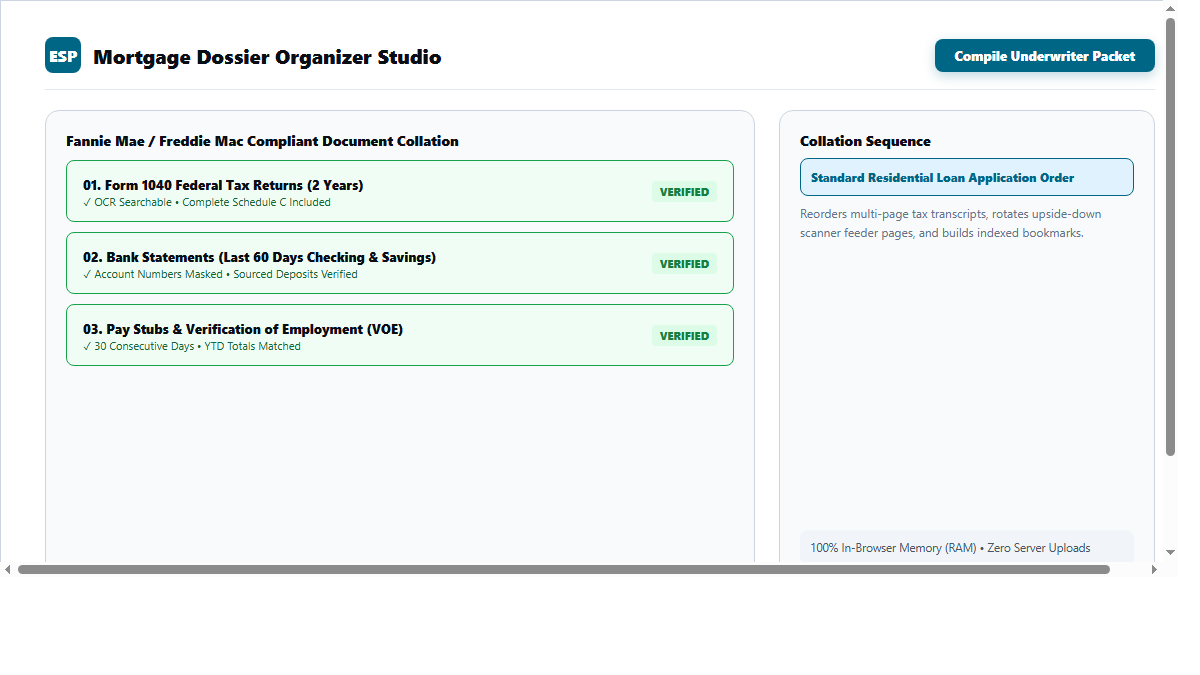
To ensure immediate processing and smooth underwriter sign-off, assemble your scanned records into the standardized mortgage file hierarchy:
- Section 1: Borrower Identification: Clear, color copy of unexpired government-issued photo ID (Driver's License or U.S. Passport) and Social Security card if requested.
- Section 2: Employment & Income Verification: Most recent 30 consecutive days of pay stubs reflecting year-to-date (YTD) earnings. For hourly employees with overtime, ensure consecutive dates without gaps.
- Section 3: Annual Tax Documentation (W-2s & 1099s): Past two consecutive calendar years of W-2 forms for wage earners or 1099 statements for contractors.
- Section 4: Federal Tax Returns (Form 1040): Past two years of signed complete federal tax returns, including all schedules (Schedule A, C, E, SE), K-1s for business partnerships, and corporate returns if owning >25% of an entity.
- Section 5: Asset Statements (Checking, Savings, Brokerage): Most recent two full months (60 days) or quarterly investment statements. Every page must be present.
- Section 6: Disclosures & Explanation Letters: Signed purchase contract, homeowners insurance quote, gift letters with transfer proof, and signed letters of explanation for recent credit inquiries.
3. 4-Step Practical Guide: Assembling Your Loan Packet in Browser
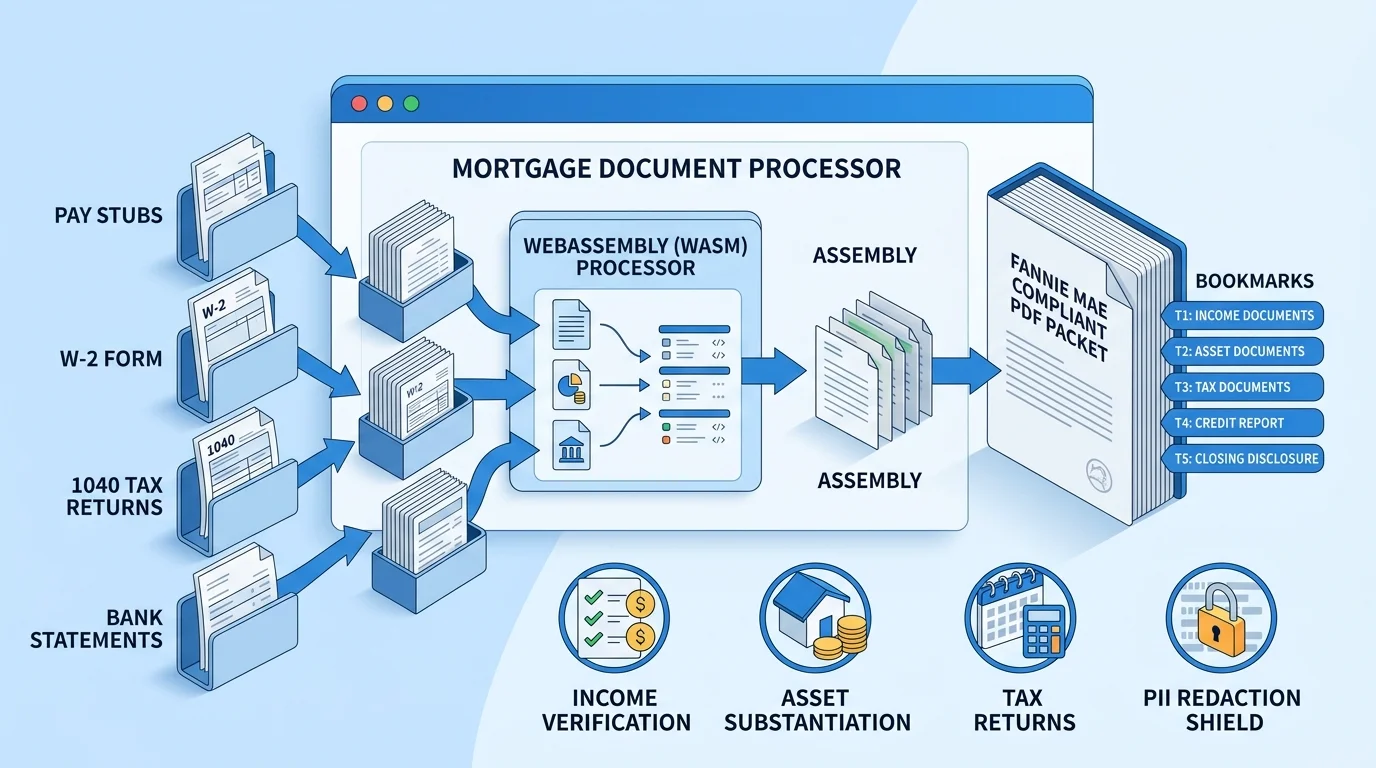
Follow these four steps to compile, organize, and format your complete mortgage submission package in local browser memory:
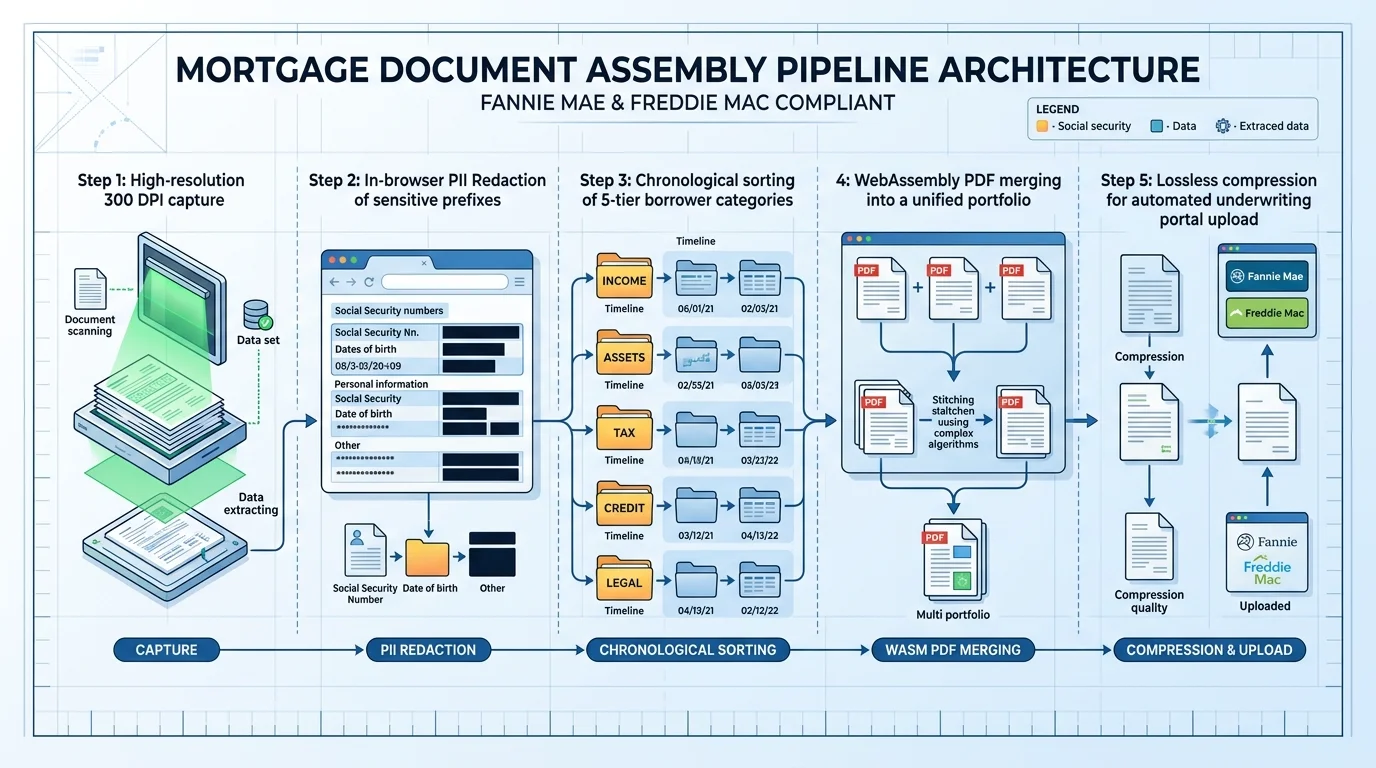
Digitize at 300 DPI Resolution
Scan all physical documents on a flatbed scanner or scanner app at 300 DPI grayscale or black-and-white. Ensure borders are cropped cleanly and all page text is sharp.
Check Complete Page Counts
Review each bank statement and tax schedule. Confirm that multi-page documents contain every single page (e.g., verifying that page 5 of 5 is present before merging).
Sequence in Browser Combiner
Open Organize PDF or Merge PDF. Drop all records, reorder pages, arrange thumbnails in the 6-tier stack order, rotate inverted sheets, and purge extraneous blank scan sheets.
Flatten & Compress for Lender Portal
Select Compress PDF if needed to stay under the 25MB portal limit. Export your finalized, standardized PDF package ready for instantaneous underwriter approval.
4. Method Comparison: Clean Assembled Packet vs. Raw Scans & Emails
Examine how compiling a standardized, flattened PDF packet compares against submitting raw smartphone photos and scattered email attachments:
| Underwriting Metric | Unified Assembled PDF Packet | Raw Smartphone Camera Photos | Scattered Multi-Email Attachments |
|---|---|---|---|
| Underwriting Approval Speed | Fastest (Immediate clearance) | Delayed (Conditional rejection) | High risk of lost attachments |
| Page Completeness Verification | 100% Verified in single index | Frequent missing trailing pages | Disjointed file fragments |
| Document Legibility & Contrast | Crisp 300 DPI flat alignment | Curved paper, glare, shadows | Varies by attachment |
| Data Security & PII Safety | 100% Local RAM (Zero upload) | Stored on camera roll and cloud sync | Stored in unencrypted email relays |
| Lender Portal Compatibility | 1 single upload under file limits | Exceeds upload file limits | Requires repeated manual uploads |
Related Document Productivity Guides
Organize Mortgage Documents Online Free
Reorder, rotate, merge, and organize pay stubs, tax returns, and bank statements in the exact underwriting sequence. 100% private client-side WebAssembly with zero server uploads.
grid_view Open Organize PDF StudioApplying for a residential mortgage or refinancing loan requires submitting dozens of sensitive financial records to strict loan underwriters. Submitting disorganized smartphone photos, missing trailing bank pages, or sending disjointed email attachments triggers automatic underwriting delays and conditional approval rejections. This guide breaks down the official document stack sequence, explains Fannie Mae compliance requirements, and provides a zero-upload browser workflow to merge, organize, and flatten your complete mortgage packet securely with our Organize PDF Studio.
- Underwriting Order Compliance: Structure packets logically (W-2s, Pay Stubs, Bank Statements, Tax Returns) for faster loan approval.
- Account Privacy Redaction: Safely black out sensitive account credentials and full SSNs while leaving verifying income details intact.
- Portal File Size Optimization: Compress multi-page mortgage dossiers to meet lender portal limits (e.g. under 15MB) without losing readability.
- Strict Financial Privacy: Personal financial portfolios process 100% locally on your computer, protecting against data breaches.
Related Scanned PDF Guides & Tools
5. Frequently Asked Questions (FAQ)
Why do mortgage underwriters reject bank statements missing the final blank page?
Fannie Mae and Freddie Mac underwriting rules mandate complete bank statements. If a statement header reads 'Page 1 of 6', underwriters must verify all 6 pages. If page 6 is missing—even if it contains only disclaimers or is completely blank—the automated system rejects the file on suspicion of withheld undisclosed debt.
Can I submit smartphone photos of my pay stubs and tax returns?
Mortgage automated underwriting systems (AUS) frequently reject raw camera photos due to curved angles, flash glares, shadows, and cut-off margins. You should convert photos to clean 300 DPI flat PDFs with trimmed borders and upright orientation before submission.
In what exact order should mortgage application documents be arranged?
The industry standard underwriting stack order is: 1) Government Photo ID, 2) Most recent 30 days of consecutive pay stubs, 3) Last 2 years of W-2 or 1099 statements, 4) Last 2 years of signed federal tax returns (Form 1040 with all schedules), 5) Last 60 days of full bank and investment statements, and 6) Letters of explanation or gift letters.
Is it safe to upload financial records containing my Social Security Number to your site?
Yes, 100% safe. EditScannedPDF processes all file organizing, page reordering, and PDF merging completely inside your device's web browser memory using WebAssembly. Your documents containing SSNs, account numbers, and salary data are never uploaded to any cloud server.
What should I do if my combined mortgage packet exceeds the lender portal upload limit?
Lender portals commonly cap uploads between 20MB and 50MB. If your multi-page scan is too large, use our client-side Compress PDF tool to optimize raster images while maintaining crisp 300 DPI text legibility, reducing file size by 60% to 80%.
Why is flattening PDF forms necessary before submitting to a mortgage broker?
Lenders and title companies process files through specialized loan origination software (LOS). Unflattened interactive form fields often render as completely blank or cause font substitution errors in enterprise viewers. Flattening locks all typed values and signatures permanently into the page canvas.
Can I black out or redact sensitive account numbers on mortgage documents?
Do not redact bank account numbers or employer tax IDs on mortgage documents unless explicitly directed in writing by your loan officer. Underwriters must match transaction numbers and account owners to satisfy strict anti-money laundering (AML) and Patriot Act requirements.