
How to Remove Known Passwords and Printing Restrictions from Your Own PDF Documents Online
1. Why Government & Banking Portals Reject Password-Protected PDFs
Nearly everyone who downloads an electronic bank statement from major institutions like HDFC, State Bank of India, ICICI, Chase, or Bank of America notices that the resulting file is locked with a security passphrase. These institutions automatically encrypt outgoing statements using personal account credentials, such as the account holder's date of birth, PAN number, or the last four digits of their debit card. The same practice applies to monthly salary slips, employee provident fund passbooks, and digitized tax return acknowledgments.
While this automated encryption protects financial records while sitting in an email inbox, it becomes an immense roadblock the moment you need to submit those records to third parties. If you apply for a home mortgage, submit visa paperwork to USCIS, upload supporting business filings to the Ministry of Corporate Affairs, or submit proof of income to a university financial aid office, their online document intake systems routinely flag protected files with an informational notice:
“Automated Processing Notice: The uploaded document contains password encryption or security restrictions. System intake and OCR parsing require an unencrypted copy. Please unlock the file and re-upload.”
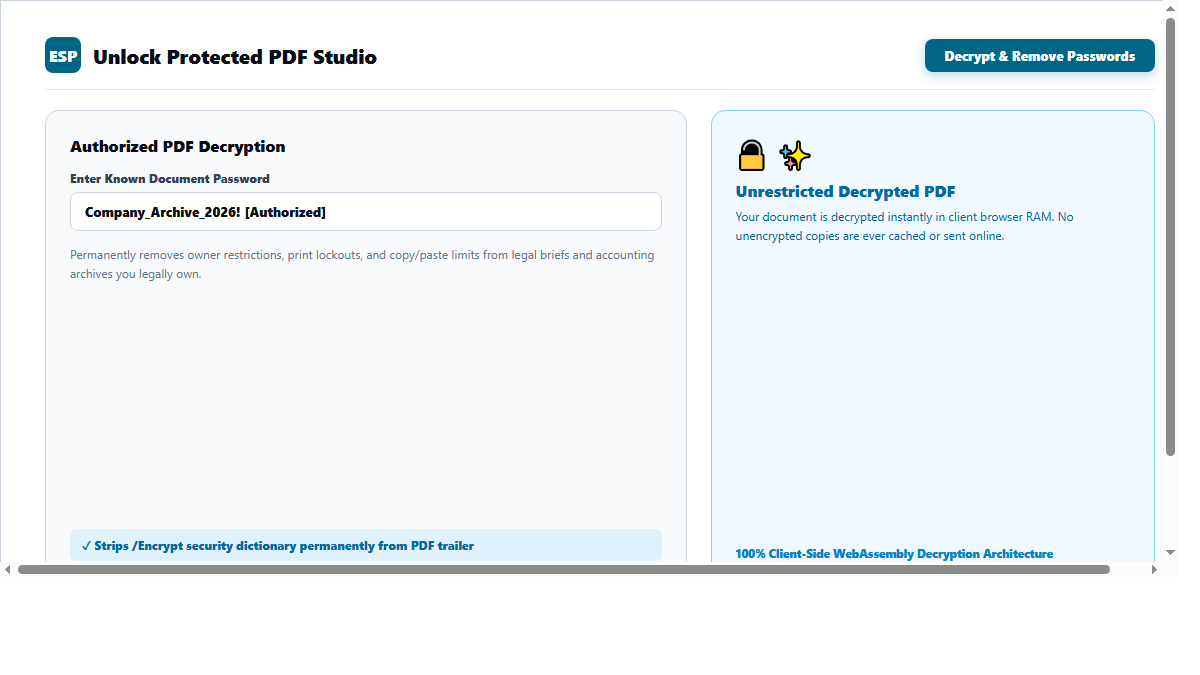
2. How to Unlock Password-Protected PDF Privately (Step-by-Step)
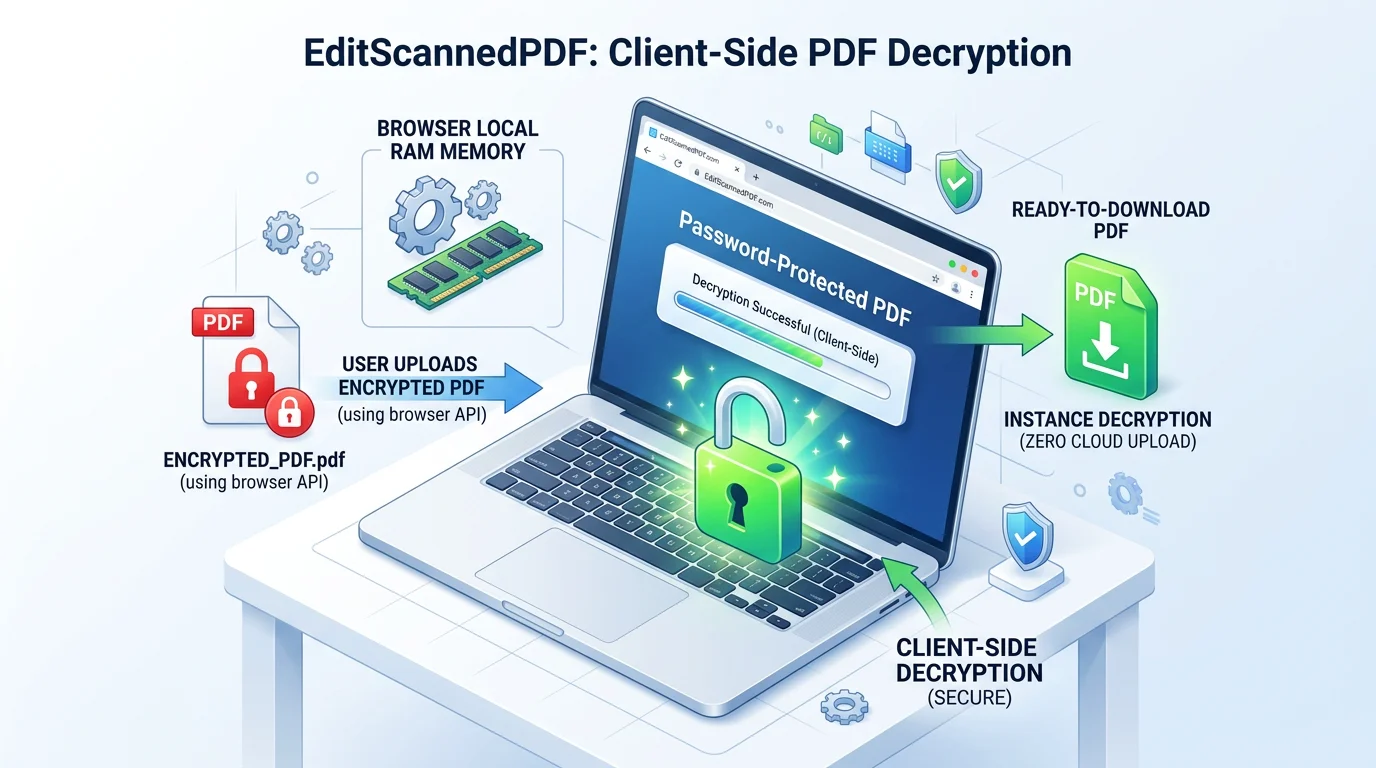
With EditScannedPDF.com, removing document passwords does not require sending your personal banking statements to an unverified web server. Follow these four straightforward steps to decrypt your PDF locally inside your browser:
Open Unlock PDF Tool
Launch the free Unlock PDF Online Tool and drag your locked document into the drop zone. The file loads purely into local device RAM.
Enter Valid Passphrase
Type your known password into the secure input prompt. This allows the local cryptographic engine to authenticate and generate the session decryption key.
Strip Encryption Layer
Click "Unlock PDF". The browser's W3C WebAssembly crypto engine decrypts byte streams and deletes the /Encrypt trailer dictionary instantly.
Save Unrestricted PDF
Download your unlocked PDF immediately. It opens freely in any viewer without asking for credentials and is 100% compliant with automated portals.
3. Real-World Unlock Scenarios: Bank Statements, Payslips & Tax Records
Permanent document decryption is an essential step in numerous legal, financial, and employment workflows. Here are the most frequent scenarios where users need to remove passwords:
1. Mortgage Applications & Loan Underwriting
When applying for a mortgage, underwriters request 3 to 6 months of historical banking records. If you submit 6 separate encrypted statements, loan officers cannot merge them into a single loan file, cannot run automated document verification analytics, and cannot stamp underwriter endorsements. Decrypting the files locally allows you to combine them using our companion Merge PDF tool into an organized loan packet.
2. Income Tax Returns & Government Form 16 / W-2 Attachments
Employers and tax authorities commonly lock annual wage statements (such as Form 16 in India or Form W-2 in the United States) with combinations of the employee's date of birth and tax identification number. When uploading these tax forms to online filing utilities or audit portals, the automated file validator rejects encrypted files. Unlocking them beforehand guarantees seamless digital tax submission.
3. USCIS Visa Petitions & Immigration Supporting Evidence
The United States Citizenship and Immigration Services (USCIS) electronic filing system explicitly requires that all submitted civil documents—including employment verification letters, bank statements, and tax transcripts—be unencrypted and under specific file size thresholds. Uploading a password-protected PDF causes automated intake failures that can delay visa processing by weeks. If the decrypted scan is too large, you can easily compress it using our Compress PDF tool.
4. Academic Transcripts & University Admissions
Colleges and professional licensing boards require certified academic transcripts. While university registrar offices protect these records with security certificates, graduate admissions software and credential evaluation agencies (such as WES) require non-restricted PDFs so their document databases can index course credits and GPA summaries.
Edit Your Scanned PDF Online Free
Permanently remove passwords and permission restrictions from bank statements, payslips, and tax documents directly in local browser memory with 100% Zero-Upload privacy.
lock_open Unlock PDF Online NowTo unlock password-protected PDF bank statements, payslips, or tax forms online for free, use the in-browser EditScannedPDF Unlock Tool. Enter your authorized document password, and client-side WebAssembly permanently deletes encryption headers directly in browser memory—delivering a clean, unrestricted PDF with zero file uploads and complete data privacy.
- Permanent Password Removal: Enter your authorized master password once to remove future prompt barriers for personal archiving.
- In-Memory Decryption: Decrypts AES-128 and AES-256 PDF streams directly in your browser's WebAssembly cryptographic engine.
- Preserves Complete Formatting: All bookmarks, text layers, annotations, and form data remain 100% intact after unlocking.
- Zero Password Logging: Your document and secret credentials never leave your browser sandbox, guaranteeing total password security.
Related Scanned PDF Guides & Tools
4. Frequently Asked Questions (FAQ)
Can I unlock a password-protected PDF if I have completely forgotten the password?
No legitimate, secure tool can bypass high-grade AES-128 or AES-256 encryption without the valid passphrase. PDF encryption mathematically obfuscates stream bytes using PBKDF2/SHA-256 key derivation. Our tool is designed for legitimate document owners who have the valid password and wish to remove the prompt permanently for archival, printing, or portal upload purposes.
Is it safe to unlock confidential bank statements and salary slips using this online tool?
Yes, absolutely. Unlike traditional cloud converter portals that upload your sensitive documents and passwords across the internet to remote servers, EditScannedPDF.com operates 100% locally inside your browser memory using WebAssembly and client-side JavaScript. Your file bytes and entered passphrases never leave your device.
What is the difference between an Open Password and an Owner Permissions Password?
An Open Password (User Password) restricts opening and reading the document, preventing any viewing without the correct passphrase. An Owner Password (Permissions Password) allows unrestricted viewing but disables printing, text selection, page extraction, or form editing. Our Unlock PDF tool strips both types of restrictions when authorized.
Why do government job and visa portals reject password-protected PDF files?
Government portals, visa submission systems, and automated applicant tracking systems (ATS) use headless document parsing robots. Because these automated bots cannot prompt a human operator for a password, encrypted PDFs throw fatal decryption errors, resulting in immediate application rejection.
Will unlocking a scanned PDF reduce its visual clarity, DPI, or OCR text layers?
No. The unlocking process only removes the cryptographic security lock. The underlying high-resolution image streams, vector fonts, bounding boxes, and OCR text coordinates remain completely untouched with 100% bit-for-bit fidelity.
Is it legal to remove passwords from bank statements and tax filings?
Yes, provided you are the lawful owner or authorized custodian of the document. Removing encryption from your own personal bank statements, salary slips, or tax returns for legitimate administrative use complies with Indian and US statutory frameworks, including Section 79 of the IT Act and 17 U.S.C. 1201 fair use.
Can I unlock password-protected PDFs on iPhone, iPad, or Android devices?
Yes. Our client-side WebAssembly engine runs smoothly in mobile Safari on iOS and Google Chrome on Android. You can pick documents directly from your iCloud Drive, Files app, or local device storage and unlock them instantly without installing third-party apps.