How to Convert Word to PDF Without Losing Formatting
1. Why Word Formatting Breaks in Online Converters
Every professional has confronted the jarring reality of saving or converting a polished Microsoft Word document to PDF, only to discover that tables have collapsed into overlapping text lines, margins have expanded, and single-page resumes have spilled awkwardly onto a second blank page. This widespread issue is not caused by user error; it stems from the fundamental differences between how Word documents and PDF documents represent spatial geometry.
A Microsoft Word file is essentially a compressed ZIP package (Office Open XML / OPC) containing descriptive XML rules for flowing text around objects. Rather than storing fixed coordinates for each letter, Word calculates layouts dynamically based on printer drivers, display scaling, and locally installed font files. In contrast, the Portable Document Format (PDF, ISO 32000) demands absolute two-dimensional coordinate positions for every glyph, vector rule, and raster image on the page.
When you submit a file to a conventional online converter, the file is transmitted to a remote Linux cloud server. Because Linux servers do not possess commercial licenses for proprietary Windows fonts such as Calibri, Cambria, Aptos, or Georgia, the remote server substitutes them with generic open-source fonts like Liberation Sans or DejaVu. Because these fallback fonts possess different character widths and baseline heights, words expand, line endings wrap prematurely, and carefully balanced tables fracture. Using our client-side Word to PDF converter, documents are rendered locally against your system's native typography, ensuring perfect visual fidelity.
2. 4-Step Guide to Converting Word to PDF with Intact Layout
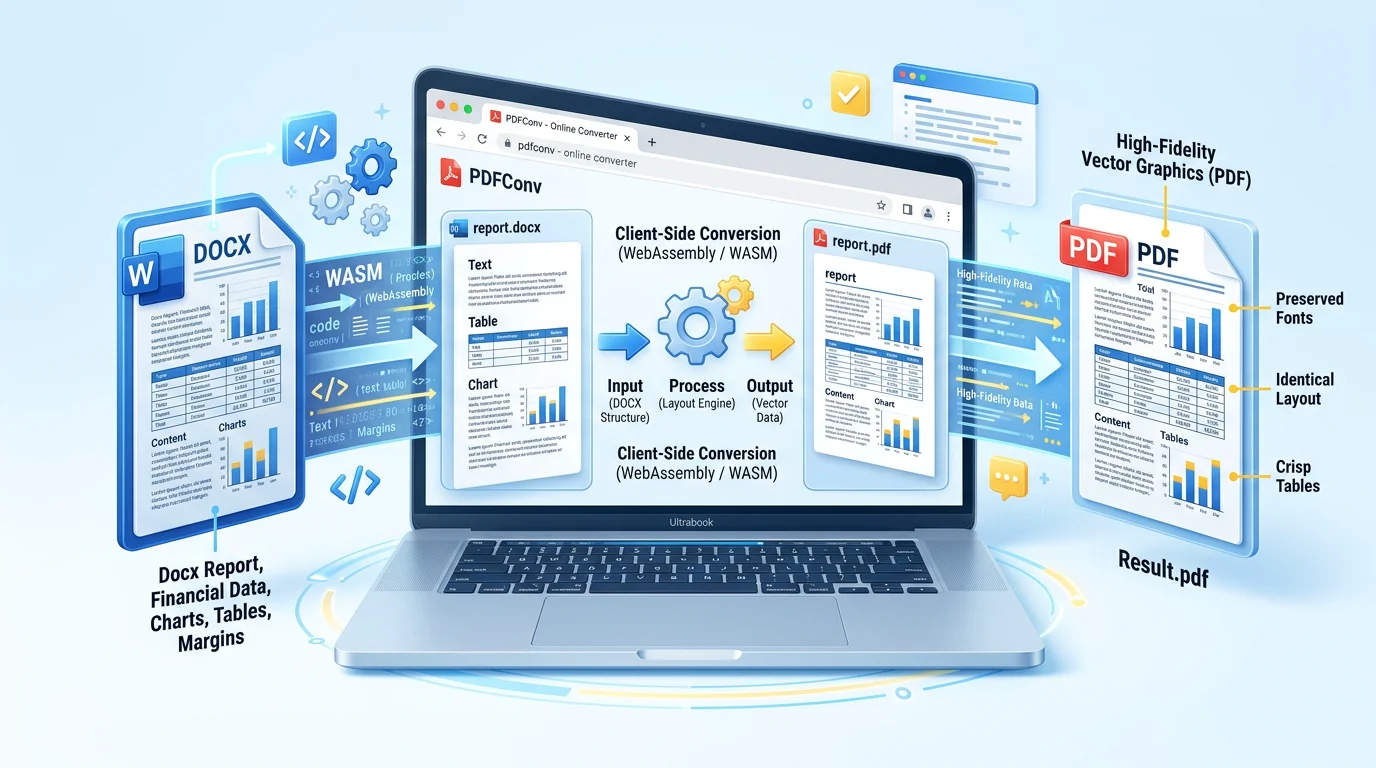
Follow these four simple steps to convert any Word DOCX document into a flawless PDF without losing formatting, entirely within your web browser:
Load DOCX in Local Browser Memory
Open Word to PDF Converter and drop your document into the canvas. The file is extracted locally into RAM with zero server transit.
Parse OpenXML Coordinate Metrics
Our engine reads exact twentieth-of-a-point (dxa) margin dimensions, table column widths, and line-spacing attributes directly from the XML document stream.
Render Vector Typography & Images
The compiler generates clean ISO 32000 vector text outlines and sharp vector graphics, maintaining perfect high-DPI clarity for printing and screen viewing.
Download Formatted PDF Document
Export your finished PDF. Verify page count, table borders, and header alignments. The document is immediately ready for printing or email distribution.
3. Table Geometry, Custom Typography & Margin Calibration
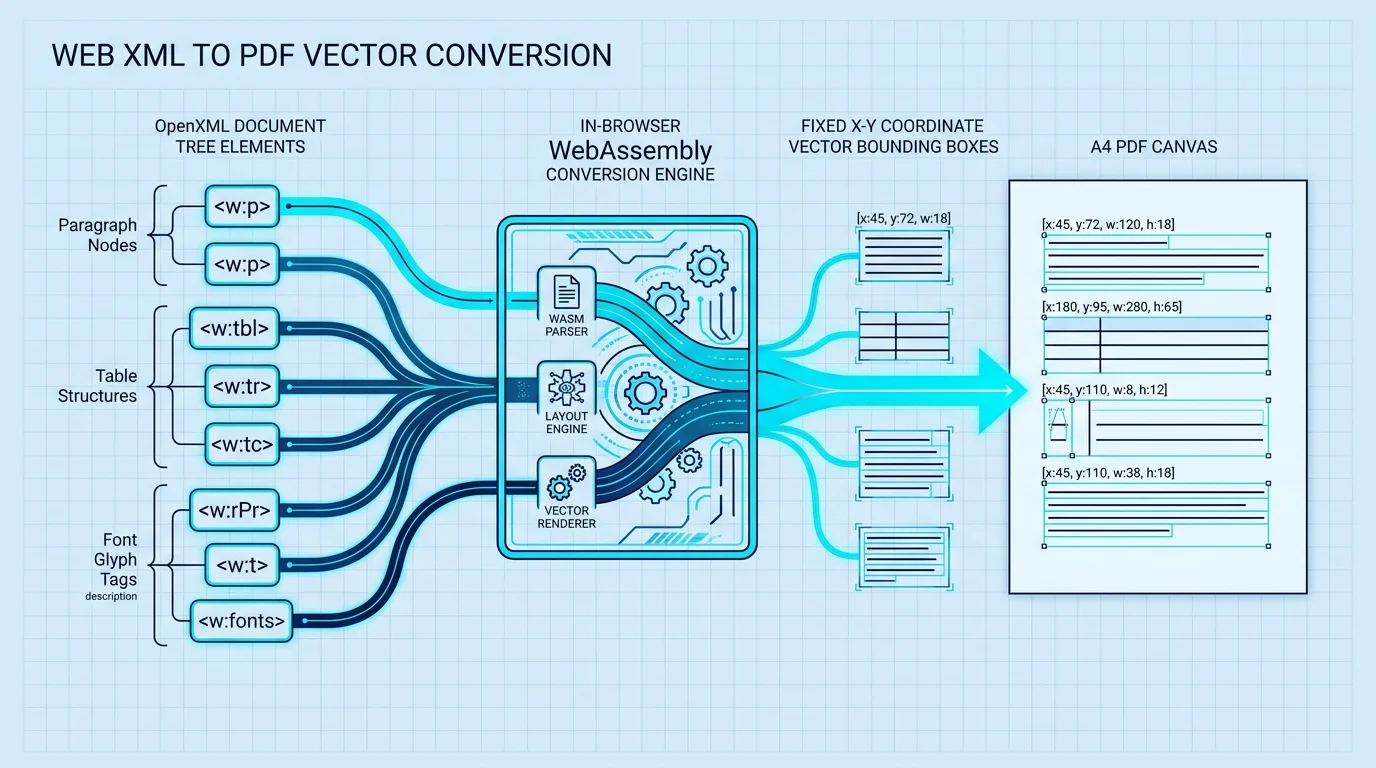
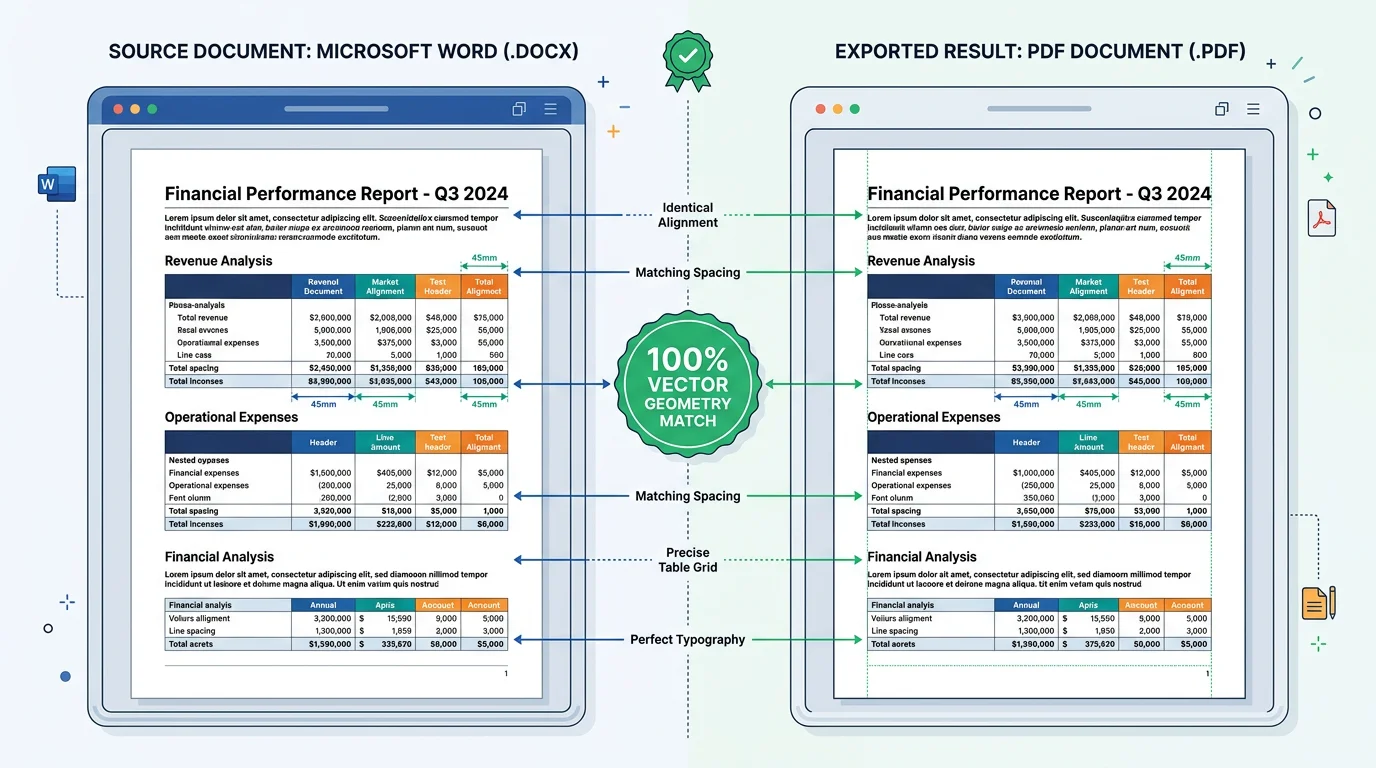
Document fidelity hinges upon three critical elements: table border geometry, font kerning, and page margin calibration. Tables in Microsoft Word are defined through nested XML elements ('<w:tbl>', '<w:tr>', and '<w:tc>') where column widths are specified in twips (one-twentieth of a point, or 1/1440th of an inch). When unspecialized converters convert twips into standard PDF points without accounting for cell margins, borders overlap or columns collapse into illegible text clusters.
Our W3C WebAssembly conversion engine calculates exact cell padding, borders ('<w:tcBorders>'), and vertical text alignment attributes. Financial spreadsheets, rate cards, and multi-column comparison tables maintain crisp lines and legible numbers. In addition, headers and footers with page numbering ('Page X of Y') calculate correct total counts without inserting phantom blank pages.
For job seekers, clean resume formatting is essential. Modern Applicant Tracking Systems (ATS) scan submitted PDF resumes for exact keyword phrases, job titles, and graduation dates. If a converter rasterizes text into an image or scrambles character encoding, ATS software parses the resume as blank or garbled, resulting in automatic candidate rejection. EditScannedPDF preserves authentic UTF-8 Unicode text streams, guaranteeing 100% readability across automated enterprise recruitment software.
4. Word to PDF Conversion Engine Comparison Matrix
Review how browser-based WebAssembly conversion compares with remote cloud converters and built-in office export options:
| Feature / Capability | EditScannedPDF (In-Browser WASM) | Generic Cloud Converters | Microsoft Word Built-in Export | Google Docs Download as PDF |
|---|---|---|---|---|
| Data Confidentiality | 100% Local (Zero Cloud Upload) | Stored on Cloud Servers | Local Computer | Uploaded to Google Cloud |
| Font Preservation | Native System Font Stacks | Linux Font Substitution | High Preservation | Substitutes Non-Google Fonts |
| Table Alignment Accuracy | Twip-Calibrated Exact Grids | Frequent Cell Collapses | Native Office Geometry | May Shift Border Lines |
| ATS Resume Compliance | 100% Unicode Vector Text | Variable / Broken Spacing | Full Compatibility | High Compatibility |
| Cost & Availability | 100% Free & Uncapped | Usage Caps & Queue Delays | Requires Paid Office License | Requires Google Account |
Related Document Modernization Guides
Edit Your Scanned PDF Online Free
Preserve complex tables, custom typography, and exact page margins directly in your browser memory. 100% private WebAssembly processing with zero server uploads.
description Convert Word to PDF FreeConverting a Microsoft Word document (.docx) to PDF should never ruin carefully arranged tables, alter heading fonts, or displace page breaks. Traditional cloud conversion tools fail because remote servers lack proprietary font licenses and misinterpret OpenXML twentieth-of-a-point metrics. Using browser-native WebAssembly compilation, EditScannedPDF.com translates DOCX structures directly into pristine vector PDF streams with 100% preservation of typography, tables, and margins.
- Strict Typography Locking: Converts DOCX layouts to PDF 1.7 standard to preserve custom fonts, margins, and page breaks on any device.
- Image Resolution Retention: Embeds diagrams and photos at native clarity without aggressive downsampling artifacts.
- Universal Cross-Platform Viewing: Guarantees that legal contracts and professional resumes look identical on Windows, macOS, and mobile.
- Safe In-Memory Rendering: Your text and private drafts remain inside your local environment without cloud logging.
Related Scanned PDF Guides & Tools
5. Frequently Asked Questions (FAQ)
Why do fonts change or look distorted when converting Word documents to PDF online?
Traditional cloud converters run on remote Linux servers that do not possess licenses for proprietary Windows fonts (such as Calibri, Cambria, Aptos, or Georgia). When converting, the remote server substitutes missing fonts with generic open-source typefaces, causing text reflow, accidental extra pages, and misaligned headings. Our client-side engine maps typography accurately inside your browser using native system font stacks.
Can I convert a Word resume to PDF without ruining ATS keyword parsing?
Yes. Unlike low-quality converters that flatten text into raster bitmap images, EditScannedPDF compiles genuine vector text streams with standard UTF-8 character encoding. Applicant Tracking Systems (ATS) can parse job titles, work history dates, and technical keywords with 100% optical fidelity.
How does the tool prevent tables, border lines, and columns from shifting?
Our engine extracts exact twentieth-of-a-point (dxa) column measurements and cell padding directly from the DOCX XML structure. It translates these metrics into absolute vector coordinates on the output PDF canvas, preventing table borders from overlapping or collapsing.
Do I need Microsoft Office installed on my computer or smartphone to use this tool?
No. The converter operates completely independently of office suites. It parses the Open Packaging Conventions (OPC) ZIP container and XML schema natively inside your web browser, allowing seamless conversion on Chromebooks, Linux workstations, Macs, iPhones, and Android devices.
Is my confidential corporate contract or financial proposal uploaded to your servers?
No. EditScannedPDF.com runs 100% client-side via WebAssembly in your browser memory. Your documents, embedded company charts, financial numbers, and client names never leave your computer, ensuring total confidentiality and compliance with NDAs.
What Word file formats are supported?
Our tool natively supports standard modern DOCX files (Office Open XML format compliant with ECMA-376 and ISO/IEC 29500), which has been the default document format for all word processors since 2007.
Can I edit or add text to the converted PDF after downloading it?
Yes. Once your PDF is created, you can open it in our companion tools such as Edit Normal PDF Online or Free PDF Editor to add annotations, erase text, insert digital signatures, or attach watermark stamps.