
EditScannedPDF provides visual document formatting tools for applying authorized company branding, letterhead logos, organizational watermarks, and internal workflow status graphics (such as 'APPROVED', 'DRAFT', or 'PAID') onto documents you legally own or are authorized to format. Users should always ensure proper corporate authorization before affixing organizational logos or workflow stamps onto business paperwork.
1. Core Architecture: Transparent Image Insertion & Workflow Stamp Compositing
Adding company letterhead graphics, workflow status stamps (e.g., 'APPROVED', 'DRAFT', 'CONFIDENTIAL'), and company emblems to your internal office documents is an everyday requirement in commercial transactions, office bookkeeping, and invoice formatting. However, inserting graphics into scanned PDFs often results in ugly white background boxes covering vital text, blurry pixelation, or altered document aspect ratios.
Under official PDF document standards, inserting an external logo, emblem, or workflow stamp requires three key structural layers to ensure crisp rendering and authentic document presentation:
- Independent High-Resolution Image Overlay: Embeds your stamp or logo as a discrete visual layer that retains full detail without altering the existing background text or document dimensions.
- Alpha-Channel Transparency Masking: Preserves transparent PNG, WebP, and SVG backgrounds, allowing business emblems and status stamps to blend naturally over scanned paper textures without showing rectangular white boxes.
- Sub-Millimeter Affine Positioning: Provides precise coordinate alignment, scaling, and rotation handles to ensure status stamps align neatly with page margins and account for minor scanner tilt.
EditScannedPDF.com provides an advanced HTML5 Canvas W3C WebAssembly compositor that processes transparent PNG, WebP, SVG, and high-DPI JPEG images directly in local browser RAM. The engine ensures that your workflow stamps, logos, and authorized marks are placed with sub-millimeter precision and permanently embedded into the PDF structure.
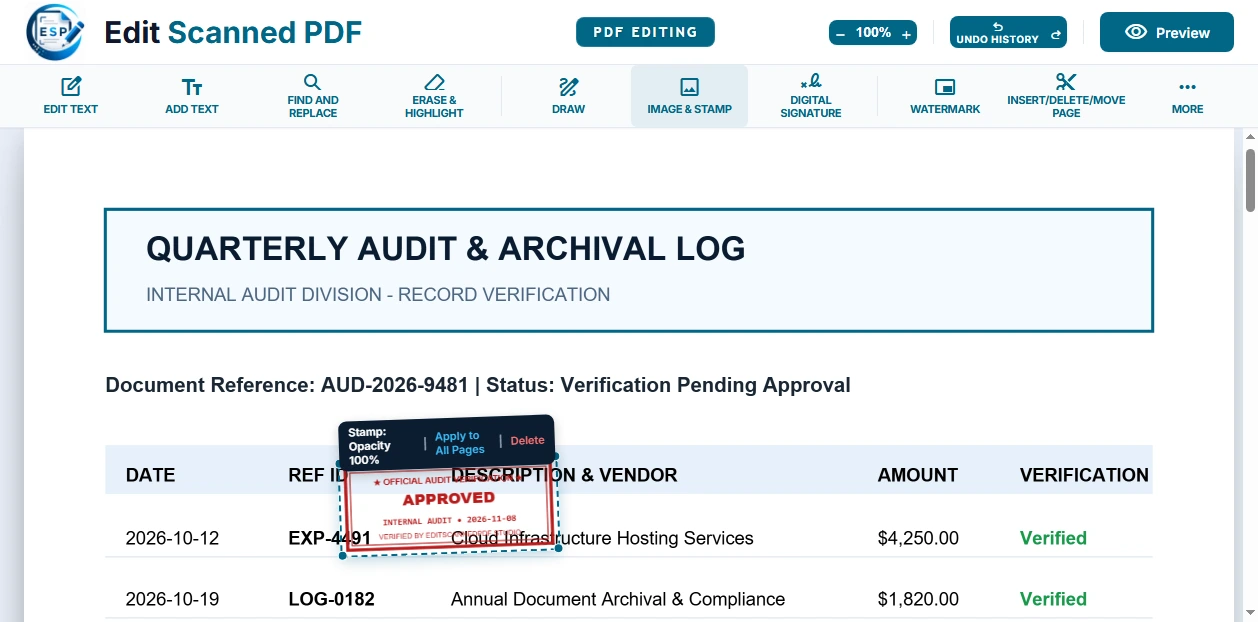
2. 4 Steps to Insert Images & Stamps on Any PDF Online (Step-by-Step)
Inserting company logos, workflow stamps, or signature marks onto your scanned document with EditScannedPDF.com requires zero registration, no software downloads, and no credit card. Follow these simple steps inside your browser:
Upload Scanned PDF
Open the free Image & Stamp PDF Tool and drag your document into the canvas. Your file loads instantly in local device RAM with zero cloud transmission.
Select Stamp or Logo Image
Click Add Image and select your PNG, JPG, or WebP logo or stamp. Transparent PNGs are recommended so underlying document lines remain visible around your emblem.
Position, Resize & Rotate
Use visual corner handles to scale the emblem precisely, drag it onto the target page position, and calibrate rotation to match slight scanner page tilts.
Export Flattened PDF
Click Export PDF. The client-side WebAssembly engine permanently compiles your image overlay into the ISO 32000-1 document stream ready for archiving or email.
3. Visual Stamping Taxonomy: Business Branding, Workflow Status Stamps & Authorized Signatures
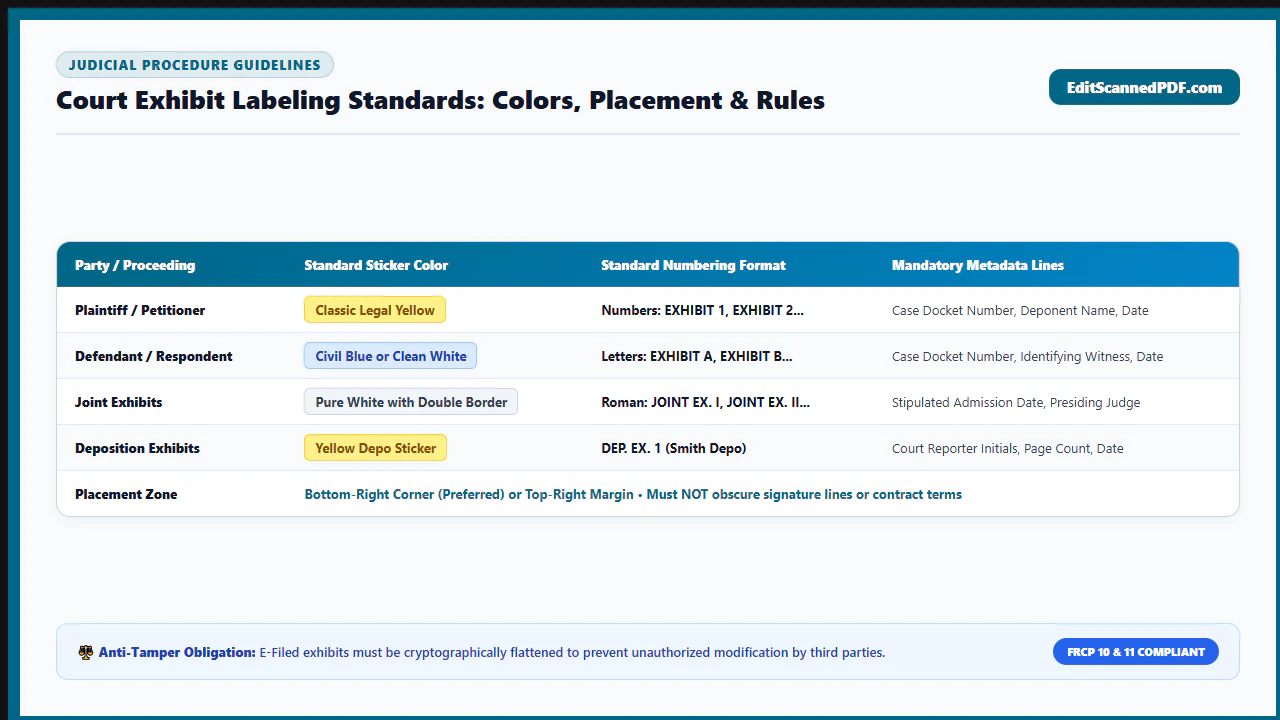
Different administrative scenarios require distinct image asset specifications and placement protocols:
- Office Status Badges & Workflow Stamps: Rectangular or circular status stamps (such as 'APPROVED', 'RECEIVED', 'DRAFT', or 'PAID'). Best rendered as transparent PNGs with standardized office tinting (e.g., stamp red
#D32F2For ink blue#1976D2). - Corporate Letterhead Emblems & Logos: High-resolution vector SVGs or crisp 300+ DPI PNGs inserted at the top of scanned invoices or business agreements.
- Authorized Digital Signatures: Scanned handwritten ink signatures on documents you own, allowing smooth placement over dotted signature lines without hiding baseline rules.
- Document Watermarks & Filing Badges: Semi-transparent background watermarks (e.g., 'CONFIDENTIAL' or 'INTERNAL ONLY') applied across pages to denote sensitive company records.
4. Architectural Comparison: Browser WebAssembly vs Enterprise SaaS vs Cloud PDF Tools
Evaluate how EditScannedPDF's client-side image insertion compares against expensive enterprise signing platforms and cloud PDF services:
| Evaluation Feature | EditScannedPDF (Client WASM) | DocuSign / Adobe Sign (Enterprise) | Cloud PDF Stamping SaaS |
|---|---|---|---|
| Data Confidentiality & Privacy | 100% Local (Zero Server Transmission) | Cloud-Hosted (Encrypted on vendor servers) | High Risk (Files stored on 3rd party servers) |
| Alpha Channel Transparency | Full 8-bit Alpha Mask Transparency | Standard Signature Overlays | Often Flawed (White rectangular box artifact) |
| Stamp Rotation & Free Placement | 360° Free Angle Rotation + Micro-Scale | Rigid Preset Form Field Boxes | Limited Positioning Controls |
| Layer Flattening & Anti-Tampering | Direct ISO 32000-1 Page Stream Embedding | Proprietary Certificate Sealing | Inconsistent (May remain loose annotations) |
| Cost & Account Barrier | Free Forever (No Account Required) | Expensive ($10–$40 per user / month) | Freemium Subscriptions with Page Limits |