How to Extract Pages from Scanned PDF Free (Split, Separate & Save)
1. Technical Foundations: Document Hierarchy & Lossless Extraction
In corporate legal discovery, academic research, medical record management, and mortgage processing, users frequently confront massive scanned PDF packets ranging from 50 to 500 pages. Often, an intake portal or government agency requires only a single specific schedule, a three-page lease addendum, or an individual hospital lab report. Attempting to upload the entire 150 MB scanned file invariably results in upload rejections due to strict file size thresholds.
In standard PDF specifications, documents are organized hierarchically through an internal document structure that links each page to its respective content streams, graphical resources, and visible page boundaries. When amateur PDF splitters extract pages, they often re-render the visual canvas, converting crisp 300 DPI scanned images into recompressed, artifact-laden JPEGs that destroy character legibility.
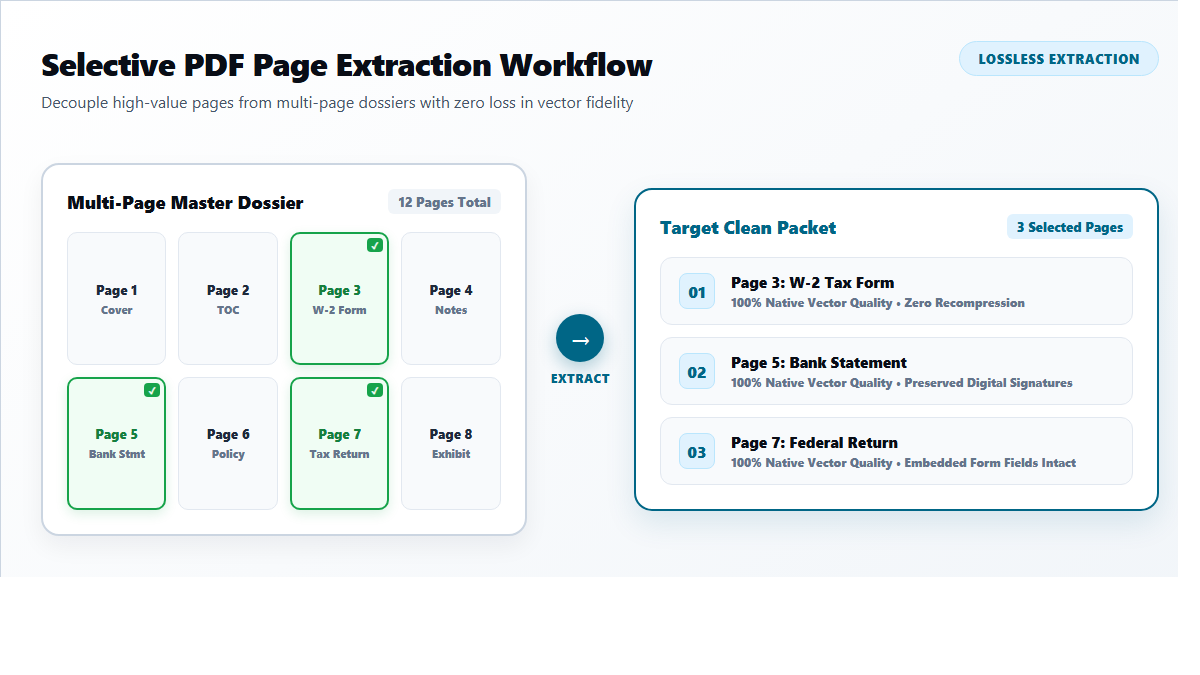
EditScannedPDF.com avoids this quality degradation through lossless binary object isolation. Using compiled W3C WebAssembly inside your browser, our engine parses the underlying document structure, extracts only the data streams associated with your selected pages, constructs a clean, standardized header, and writes the output file. The original scan resolution is preserved 100% byte-for-byte, generating a lightweight sub-document in fractions of a second.
2. 4-Step Practical Guide to Extracting Pages from Scanned PDFs
Follow these four quick steps to extract, separate, and save any pages from your scanned PDF document:
Load Multi-Page PDF into Browser Canvas
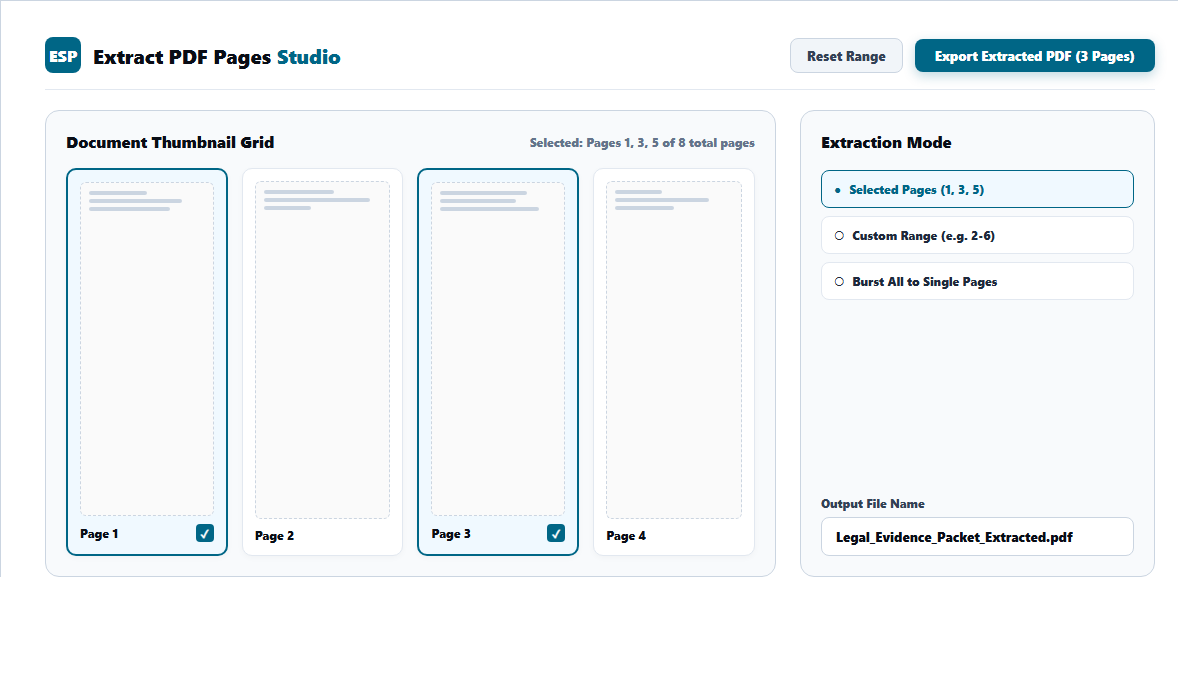
Open Extract PDF Pages and drop your document into the canvas. All pages render locally into a visual thumbnail grid.
Select Pages or Specify Range
Click individual page thumbnails to highlight required pages, or type custom ranges (e.g., 1, 4-7, 12) into the range selection box.
Verify Orientation & Reorder
Use thumbnail rotation buttons to rotate any upside-down or sideways pages by 90 degrees before extraction.
Export Lossless Extracted PDF
Click Extract Pages. The WebAssembly binary compiler clones page tree streams losslessly without recompressing or degrading resolution.
3. Selective Page Ranges, Orientation Correction & Document Bursting
Administrative workflows frequently require different extraction strategies depending on downstream intake requirements. Our in-browser tool accommodates three distinct extraction modalities:
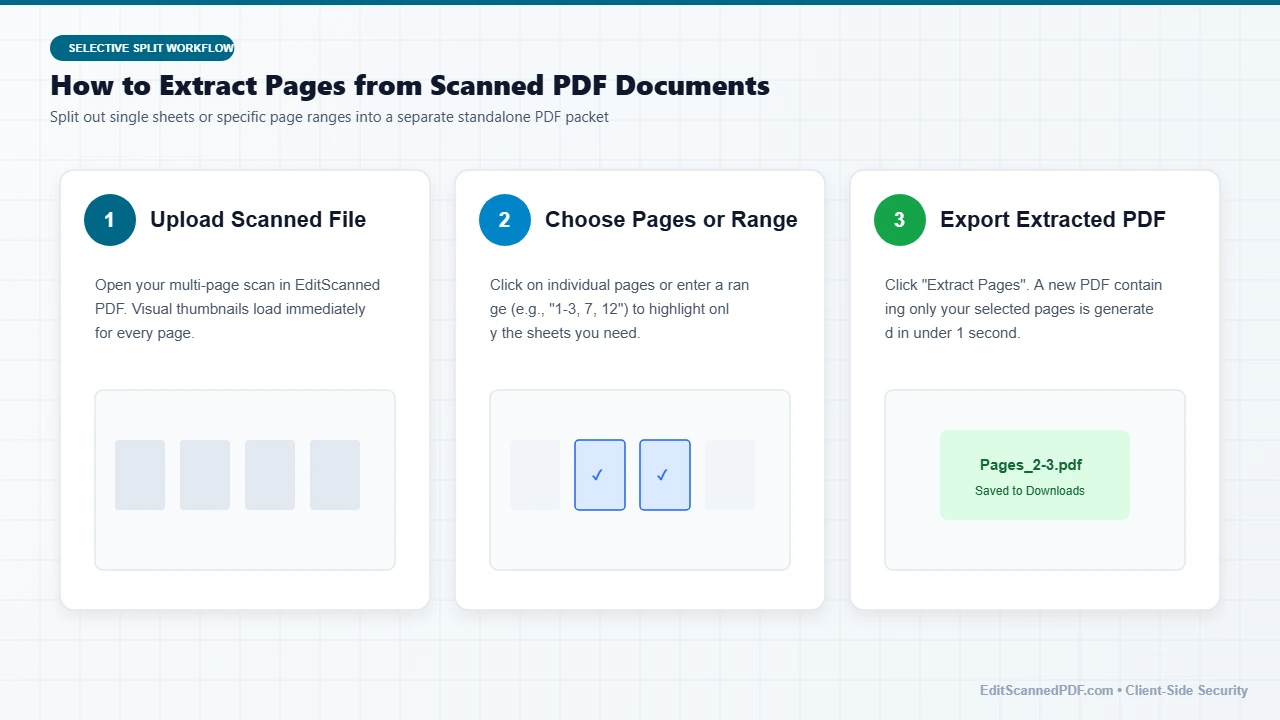
- Selective Page Extraction: Extract non-consecutive pages (such as signature pages 3, 7, and 12 from a lengthy master services agreement) into a single unified output PDF.
- Range Extraction: Carve out a continuous chapter or exhibit (e.g., Exhibit B, spanning pages 15 through 28) with preserved page geometry and bookmarks.
- Document Bursting: Separate every sheet in a multi-page batch into individual single-page PDF files, ideal for automated indexing in enterprise document management systems.
A persistent issue with automatic document feeder (ADF) office scanners is orientation inconsistency. Pages fed upside down or rotated sideways ruin digital presentations. Rather than forcing you to open a secondary rotation application, our thumbnail workspace allows you to rotate individual pages by 90, 180, or 270 degrees on the fly. The transformation modifies only the '/Rotate' attribute in the page dictionary, ensuring zero pixel resampling.
4. Page Extraction Technologies Comparison Matrix
Compare browser-based WebAssembly extraction against command-line utilities, commercial desktop suites, and public cloud converters:
| Performance Metric | EditScannedPDF (In-Browser WASM) | Command-Line Tools (qpdf, pdftk) | Commercial Desktop Suites | Public Cloud PDF Converters |
|---|---|---|---|---|
| Image Resolution Preservation | 100% Lossless (Byte-for-Byte) | 100% Lossless | 100% Lossless | Often Recompresses to 72 DPI |
| Data Security & Privacy | 100% Local RAM (Zero Upload) | 100% Local | 100% Local | Uploaded to Cloud Servers |
| Visual Interface & Rotation | Visual Grid + 1-Click Rotate | Terminal Only (No Visuals) | Full Visual Interface | Variable / Cluttered Ads |
| Cost & Installation | 100% Free / Zero Install | Free / Package Install | $15 - $25 / month subscription | Freemium Limits |
| Cross-Platform Mobility | Windows, Mac, iOS, Android, Linux | Desktop CLI Only | Windows & Mac Only | Browser Dependent |
Related Document Organization Guides
Edit Your Scanned PDF Online Free
Separate, rotate, and save individual pages from any multi-page scanned PDF with 100% lossless resolution. Private client-side WebAssembly with zero server uploads.
call_split Extract Pages FreeExtracting specific pages from a massive multi-page scanned PDF should never result in degraded image resolution or forced cloud server uploads. While standard PDF tools often recompress heavy scan bitmaps, our browser-native WebAssembly engine performs lossless binary object cloning directly inside local device RAM. You can visually select individual pages, isolate custom ranges (e.g., pages 4-12), rotate misaligned sheets, and export dedicated sub-documents instantly with zero data loss.
- Selective Range Splitting: Extract single pages or custom ranges (e.g., 2, 4-7, 11) into a fresh, isolated PDF document.
- Visual Thumbnail Selection: Click page previews to pick and choose exactly which sheets to extract from thick multi-page scans.
- Zero Resolution Loss: Original image DPI, text layers, and embedded metadata are preserved intact in the extracted file.
- Instant Local Export: Splitting finishes in milliseconds on your local computer with zero network upload or download lag.
Related Scanned PDF Guides & Tools
5. Frequently Asked Questions (FAQ)
How do I extract only specific pages from a large scanned PDF?
Simply drag and drop your PDF into EditScannedPDF.com. You will see a visual grid of all pages. Click the specific pages you need or type a page range (such as '1, 3, 5-10') in the input box, then click 'Extract Pages' to instantly download your new document.
Will the extracted pages lose image quality or scan resolution?
No! Our WebAssembly engine performs lossless binary stream extraction. The underlying raster scan images (JPEG, TIFF, CCITT) and vector data are copied byte-for-byte into the new PDF file without any recompression or resolution loss.
Is it safe to extract confidential legal or medical pages using this tool?
Yes, 100%. EditScannedPDF operates entirely inside your local browser sandbox. Your PDF files never leave your computer or phone, ensuring full compliance with HIPAA, GDPR, and strict legal confidentiality standards.
Can I split a scanned PDF into multiple separate single-page files?
Yes. You can extract individual pages one by one or select ranges to create multiple separate files. All processing is instant and executes in local memory.
Can I rotate upside-down pages before extracting them?
Yes. Each page thumbnail in our visual grid features rotate buttons (90° clockwise and counter-clockwise). You can correct any misaligned pages before clicking extract.
Is there any limit on how many pages or how large a PDF file can be?
Because all computing occurs on your local device hardware via WebAssembly, there are no artificial file size caps or page count restrictions. You can easily process documents containing hundreds of scanned pages.
Do I need to install any desktop software or create an account?
No. EditScannedPDF works directly in your web browser (Chrome, Edge, Safari, Firefox) on Windows, Mac, Linux, Chromebook, iOS, and Android without any account signups or software installations.